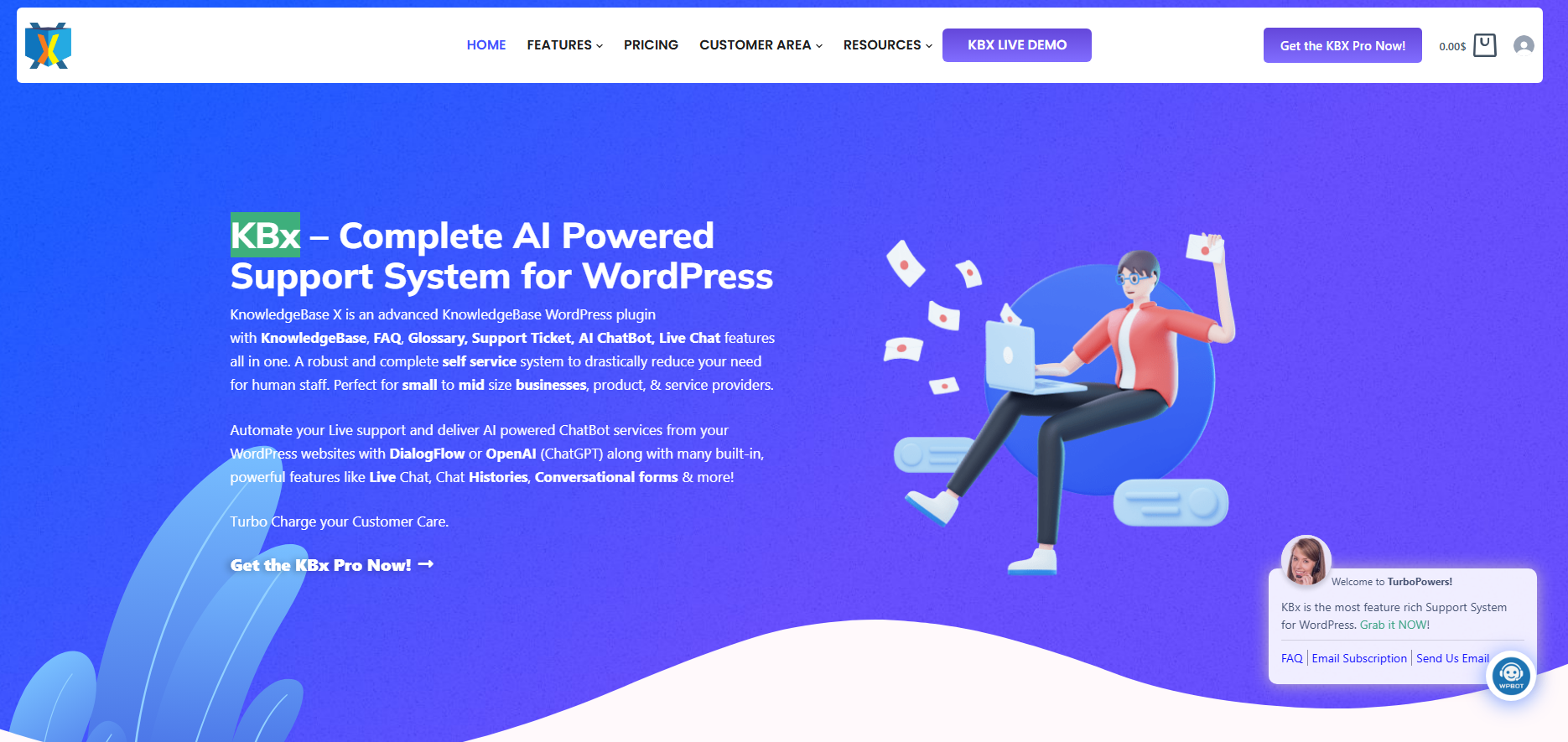
October 30, 2026UncategorizedKBx (KnowledgeBase X) helps WordPress businesses organize customer-facing knowledge and support through five core pillars: FAQs & Glossary, AI ChatBot, Conversational Forms, Live Chat, and Support Tickets. By combining searchable documentation, conversational assistance, structured information collection, real-time communication, and organized issue management, KBx (KnowledgeBase X) helps businesses address information gaps and build more consistent customer experiences.
Why Are Your Customers Discovering Business Problems Before Your Management Team?
Your customers interact with your business differently from the way your employees do. Customers encounter confusing instructions, missing product information, unanswered questions, complicated forms, and support delays that internal teams might never notice.
A management dashboard might show healthy website traffic, increasing page views, and stable customer registrations. However, those numbers cannot explain every reason customers hesitate, abandon a purchase, or contact support repeatedly.
Consider a WordPress business receiving 1,200 support requests every month. If 420 requests involve repetitive questions, the business is spending valuable resources explaining information that customers should be able to discover independently.
The problem isn’t necessarily a shortage of information. The problem is the distance between information availability and information accessibility.
KBx (KnowledgeBase X) addresses five important areas of that problem:
FAQs & Glossary: Organize business knowledge and make answers easier to discover.
AI ChatBot: Give visitors a conversational way to seek information.
Conversational Forms: Capture customer requirements through structured interactions.
Live Chat: Help customers resolve questions through real-time communication.
Support Tickets: Organize customer problems, track requests, and preserve support history.
Each pillar addresses a different stage of the customer experience. Together, the five KBx (KnowledgeBase X) pillars provide a foundation for more organized knowledge management and customer support.
What Exactly Is a Business Knowledge Blind Spot?
A business knowledge blind spot exists when a company has valuable customer information but fails to recognize, organize, or use that information effectively.
The information might already exist in website searches, customer inquiries, support tickets, product questions, and conversations. However, information scattered across different communication channels rarely creates a complete picture automatically.
Imagine an online electronics store receiving the following monthly customer inquiries:
Customer inquiryMonthly requestsPossible business problemProduct compatibility120Missing technical documentationDelivery information95Unclear shipping informationWarranty coverage85Inaccessible policy detailsInstallation instructions70Incomplete product guidanceOrder-related questions50Customer communication gapsTotal420Potential knowledge gaps
These figures represent an illustrative scenario, not measured KBx (KnowledgeBase X) customer data.
A support manager might classify the 420 inquiries as ordinary customer service work. A knowledge-focused manager would investigate why customers keep asking the same questions.
The difference is important.
KBx (KnowledgeBase X) gives businesses tools to organize the information customers need, communicate with visitors, collect requirements, and manage reported problems. Business teams can then examine recurring issues and decide which improvements deserve attention.
Why Does Traditional Website Analytics Miss Important Customer Problems?
Google Analytics and similar tools can show traffic sources, page views, engagement, and conversion events. Those measurements are useful, but behavioral metrics rarely explain every customer concern.
A visitor might spend five minutes on a pricing page because the visitor is carefully comparing plans. Another visitor might spend five minutes on the same page because the pricing conditions are confusing.
The recorded engagement time looks similar. The underlying customer experiences are completely different.
KBx (KnowledgeBase X) helps address the information gap by providing communication and knowledge-management capabilities beyond conventional website analytics.
Customer signalWhat analytics might showWhat KBx (KnowledgeBase X) can help addressMissing product informationRepeated pricing-page visitsFAQs & GlossaryUnclear technical terminologySearch activity and page exitsFAQs & GlossaryUnanswered questionsLimited behavioral contextAI ChatBotIncomplete customer requirementsForm abandonmentConversational FormsPurchase hesitationPossible conversion dropLive ChatRecurring customer problemsLimited operational contextSupport Tickets
The important distinction is that KBx (KnowledgeBase X) provides tools for managing customer interactions and knowledge. Businesses must still review their analytics, support records, and customer feedback to identify verified patterns.
Can FAQs & Glossary Eliminate the Knowledge Gap That Keeps Customers Asking the Same Questions?
FAQs & Glossary is the knowledge foundation of KBx (KnowledgeBase X). A business cannot deliver consistent self-service support when customers cannot find accurate answers or understand the terminology used in product documentation.
Many businesses make the mistake of treating FAQ pages as simple collections of questions and answers. A useful knowledge resource requires a deliberate information structure, meaningful categories, clear explanations, and terminology that matches the way customers search.
Why Do Customers Keep Asking Questions Already Answered on Your Website?
Publishing information doesn’t guarantee that customers can discover the information.
A WooCommerce store might publish a detailed return policy, but customers may still contact support because the return information is buried inside a lengthy policy page.
A software company might explain API authentication in technical documentation, but beginners may struggle because the documentation assumes knowledge of OAuth, access tokens, and request headers.
KBx (KnowledgeBase X) FAQs & Glossary addresses the underlying knowledge organization problem by giving businesses a dedicated environment for presenting frequently requested information and terminology.
Common documentation problems include:
KBx (KnowledgeBase X) FAQ organization: Businesses need clear categories to separate product questions, account questions, pricing information, and troubleshooting instructions.
KBx (KnowledgeBase X) answer clarity: Businesses need direct answers instead of lengthy explanations that hide the actual solution.
KBx (KnowledgeBase X) terminology management: Businesses need accessible definitions for technical words, industry terminology, and product-specific language.
KBx (KnowledgeBase X) documentation consistency: Businesses need accurate information across knowledge resources to avoid contradictory customer instructions.
KBx (KnowledgeBase X) content maintenance: Businesses need a process for reviewing outdated answers when products, pricing, policies, or workflows change.
How Should Businesses Structure FAQs for Better Knowledge Discovery?
A useful FAQ structure should follow customer intent rather than internal departmental organization.
For example, an online electronics store could organize KBx (KnowledgeBase X) FAQs around the questions customers actually ask.
FAQ categoryExample customer questionKnowledge objectiveProduct informationDoes this camera support 4K recording?Clarify specificationsCompatibilityDoes this device work with Android?Reduce buying uncertaintyOrderingHow can I change my delivery address?Explain purchasing proceduresPaymentWhich payment methods are accepted?Clarify transactionsWarrantyHow long does the warranty last?Explain coverageTroubleshootingWhy isn’t the device connecting?Support problem resolution
KBx (KnowledgeBase X) FAQs & Glossary can help businesses organize these resources into a more understandable customer-facing knowledge structure.
Why Does a Glossary Matter More Than Most Businesses Realize?
Technical terminology creates an invisible communication barrier.
A developer understands terms such as REST API, webhook, authentication, cache invalidation, and database indexing. A first-time WordPress user may not understand any of those terms without additional explanation.
KBx (KnowledgeBase X) Glossary can help businesses explain unfamiliar terminology through concise definitions and accessible descriptions.
For example:
Technical termCustomer-friendly explanationAPIA way for different software applications to communicateWebhookAn automatic notification sent when a particular event occursCacheA temporary storage mechanism that helps information load fasterAuthenticationA process for verifying a user’s identityDatabaseAn organized system for storing and retrieving information
KBx (KnowledgeBase X) Glossary helps businesses reduce the distance between technical documentation and customer understanding.
What Business Value Can Better FAQ and Glossary Management Deliver?
Consider a company handling 300 repetitive questions every month.
If KBx (KnowledgeBase X) FAQs & Glossary helps customers independently resolve 30% of those questions, the business could potentially avoid 90 manual inquiries.
Assume each manual inquiry requires five minutes of employee time:
Monthly inquiries: 300
Illustrative self-service resolution target: 30%
Potentially avoided inquiries: 90
Average handling time: 5 minutes
Potential monthly time recovered: 450 minutes
Potential monthly time recovered: 7.5 hours
These numbers represent a planning scenario, not a guaranteed KBx (KnowledgeBase X) result. Actual results depend on documentation quality, discoverability, and customer adoption.
The key opportunity: KBx (KnowledgeBase X) FAQs & Glossary helps businesses convert repeated explanations into reusable knowledge resources.
Can an AI ChatBot Reveal What Customers Cannot Find in Your Knowledge Base?
AI ChatBot is the conversational knowledge discovery pillar of KBx (KnowledgeBase X). Customers do not always want to browse categories, open documentation pages, or search through multiple articles to find one answer.
Many visitors prefer asking a direct question.
A conversational interface changes the way customers interact with business information. Instead of requiring customers to understand the website’s information architecture, KBx (KnowledgeBase X) AI ChatBot provides an interactive channel for requesting assistance.
Why Does Traditional Website Search Fail Some Customers?
Traditional search often depends on matching keywords.
A customer might search for “change my subscription,” while the documentation uses the heading “Managing Your Account Plan.”
Both expressions describe a similar requirement, but the customer may not discover the correct documentation through a basic keyword search.
KBx (KnowledgeBase X) AI ChatBot offers a conversational alternative to manual information discovery.
A visitor can ask questions in natural language rather than needing to know the exact title of a knowledge article.
Examples include:
KBx (KnowledgeBase X) product assistance: A customer asks whether a particular product supports a required feature.
KBx (KnowledgeBase X) account assistance: A user asks how to update account information.
KBx (KnowledgeBase X) technical assistance: A visitor asks why a particular configuration isn’t working.
KBx (KnowledgeBase X) policy assistance: A customer asks about warranty, cancellation, or refund conditions.
KBx (KnowledgeBase X) purchasing assistance: A visitor asks which service option matches a particular requirement.
How Should an AI ChatBot Use Business Knowledge Responsibly?
An AI chatbot should not be treated as an unrestricted source of business information.
The quality of chatbot responses depends on the quality of the underlying knowledge, the model configuration, prompt instructions, retrieval strategy, and safeguards.
KBx (KnowledgeBase X) AI ChatBot should be configured around approved business information and clear response boundaries.
A practical knowledge-assisted chatbot workflow looks like this:
KBx (KnowledgeBase X) receives a customer question: The chatbot receives the visitor’s natural-language request.
KBx (KnowledgeBase X) identifies the information requirement: The chatbot determines the relevant subject or intent.
KBx (KnowledgeBase X) accesses configured knowledge: Available documentation or connected information sources provide context where supported by the integration.
KBx (KnowledgeBase X) generates assistance: The configured AI model produces a response using the available context.
KBx (KnowledgeBase X) supports the next interaction: The customer can continue asking questions or use another available support channel.
The exact retrieval and integration behavior depends on the installed KBx (KnowledgeBase X) configuration. Businesses should verify source-grounding and escalation capabilities rather than assuming every AI response is automatically supported by verified documentation.
Can AI ChatBot Conversations Expose Missing Documentation?
Yes, when businesses review questions that the configured knowledge resources cannot answer satisfactorily.
Consider a customer asking:
“Can I use the annual subscription on three different websites?”
If the available documentation doesn’t explain the licensing conditions clearly, the question exposes a documentation gap.
KBx (KnowledgeBase X) AI ChatBot can provide the conversational entry point, while the business can investigate unanswered questions and improve the corresponding FAQ or documentation.
Other useful questions to investigate include:
KBx (KnowledgeBase X) documentation gap: Which customer questions repeatedly require manual assistance?
KBx (KnowledgeBase X) terminology gap: Which technical concepts cause customers to request clarification?
KBx (KnowledgeBase X) product gap: Which product capabilities are frequently misunderstood?
KBx (KnowledgeBase X) policy gap: Which business policies create repeated customer uncertainty?
How Should Businesses Evaluate AI ChatBot Performance?
Businesses should evaluate more than chatbot conversation volume.
MeasurementWhat businesses should examineAnswer qualityWhether KBx (KnowledgeBase X) chatbot responses are accurateKnowledge coverageWhether configured information addresses common questionsUnanswered questionsWhether KBx (KnowledgeBase X) needs additional documentationEscalation frequencyHow often customers require human assistanceResponse latencyHow long chatbot responses takeAI consumptionHow many tokens configured AI requests consumeCustomer satisfactionWhether chatbot interactions solve customer problems
The key opportunity: KBx (KnowledgeBase X) AI ChatBot makes business knowledge more conversational while giving businesses another way to recognize information customers struggle to find.
Are Traditional Contact Forms Losing Valuable Customer Information Before a Conversation Begins?
Conversational Forms is the structured customer information collection pillar of KBx (KnowledgeBase X). Businesses often lose useful customer information because traditional forms demand too much information before explaining why customers should provide those details.
A conventional contact form might display twelve fields simultaneously. A conversational form can present relevant questions progressively, helping customers understand the information being requested.
The distinction isn’t merely visual. The structure of a form influences how customers communicate their requirements.
Why Do Traditional Forms Create Unnecessary Customer Friction?
A traditional form frequently assumes that every customer has the same requirements.
A visitor requesting a simple product quotation might be asked for information relevant only to a complex enterprise consultation.
That unnecessary complexity increases the effort required to submit an inquiry.
KBx (KnowledgeBase X) Conversational Forms provides a more interactive approach to collecting customer information.
Potential applications include:
KBx (KnowledgeBase X) lead generation: Collect names, contact details, interests, and relevant business requirements.
KBx (KnowledgeBase X) quotation requests: Gather product specifications, quantities, and project requirements.
KBx (KnowledgeBase X) booking inquiries: Collect preferred dates, service requirements, and contact information.
KBx (KnowledgeBase X) customer feedback: Ask structured questions about customer experiences.
KBx (KnowledgeBase X) service requests: Gather information about the service a visitor needs.
How Can Conversational Forms Improve Information Collection?
A conversational form can divide a complex submission into smaller steps.
Consider a digital marketing agency using KBx (KnowledgeBase X) Conversational Forms to qualify potential clients.
StepExample questionInformation collected1What service do you need?Service interest2What is your monthly marketing budget?Budget range3Which website do you want to promote?Website information4What is your primary business objective?Business goal5How can our team contact you?Contact information
A progressive structure helps visitors focus on one requirement at a time.
The business receives more structured information for evaluating inquiries and preparing relevant follow-ups.
Can Conversational Forms Reveal Customer Expectations?
Customer submissions can reveal information that standard website analytics cannot explain independently.
For example, suppose 60% of quotation inquiries mention a requirement for installation assistance.
That pattern may indicate that customers need more installation information before purchasing.
KBx (KnowledgeBase X) Conversational Forms can provide a structured channel for collecting such requirements. Businesses can then review the submissions and decide whether product documentation, pricing information, or service descriptions need improvement.
Other examples include:
KBx (KnowledgeBase X) pricing insight: Customer budget selections can help businesses understand the price ranges prospective customers consider.
KBx (KnowledgeBase X) service insight: Repeated service selections can reveal demand for particular offerings.
KBx (KnowledgeBase X) product insight: Repeated product requirements can highlight missing specifications.
KBx (KnowledgeBase X) onboarding insight: Repeated setup questions can identify areas where onboarding instructions need improvement.
What Technical Details Should Developers Consider?
Developers implementing KBx (KnowledgeBase X) Conversational Forms should consider validation, field requirements, data handling, and accessibility.
Important implementation considerations include:
KBx (KnowledgeBase X) form validation: Validate required fields and expected input formats on the server side, not only in the browser.
KBx (KnowledgeBase X) data minimization: Collect only information necessary for the stated business purpose.
KBx (KnowledgeBase X) submission protection: Apply appropriate nonce verification, capability checks, and input sanitization.
KBx (KnowledgeBase X) accessibility: Ensure keyboard navigation, clear labels, and understandable validation messages.
KBx (KnowledgeBase X) privacy transparency: Explain how submitted personal information will be used and retained.
What Is the Potential Business Value of Better Forms?
Assume a business receives 500 form visits monthly and achieves a 20% completion rate.
That produces 100 completed submissions.
If a redesigned KBx (KnowledgeBase X) Conversational Forms experience improves completion to 26%, the business receives 130 submissions.
The potential difference is 30 additional submissions per month.
MetricOriginal scenarioImproved scenarioMonthly form visits500500Completion rate20%26%Completed submissions100130Additional submissions—30
The 26% completion rate is a hypothetical optimization target, not a guaranteed result from KBx (KnowledgeBase X).
The key opportunity: KBx (KnowledgeBase X) Conversational Forms helps businesses collect more structured customer requirements and investigate what customers actually expect.
Are You Losing Customers Because Nobody Can Answer Their Questions at the Right Moment?
Live Chat is the real-time customer communication pillar of KBx (KnowledgeBase X). Some customer questions cannot be resolved through documentation or automated assistance alone.
A visitor may need a quick explanation before purchasing. Another customer may encounter a technical problem that requires additional clarification.
A live communication channel gives customers an opportunity to explain the situation and receive assistance.
Why Does Customer Hesitation Often Become a Lost Conversion?
Consider a visitor comparing two WordPress hosting plans.
The visitor understands the advertised storage and bandwidth limits but doesn’t know whether the more expensive plan supports the required website configuration.
Without an immediate answer, the visitor might leave the website and search for another provider.
The lost opportunity isn’t necessarily caused by price. The customer might simply lack enough information to make a confident decision.
KBx (KnowledgeBase X) Live Chat helps businesses provide a direct communication channel during these decision-making moments.
How Can Live Chat Reveal Hidden Purchase Objections?
Live conversations often contain questions that reveal customer expectations.
For example:
KBx (KnowledgeBase X) pricing objections: Visitors ask why a particular plan costs more than another option.
KBx (KnowledgeBase X) compatibility concerns: Customers ask whether products work with their existing systems.
KBx (KnowledgeBase X) implementation concerns: Visitors ask how difficult installation or configuration will be.
KBx (KnowledgeBase X) service concerns: Customers request clarification about delivery, support, or warranty conditions.
KBx (KnowledgeBase X) technical concerns: Visitors ask whether a product supports a specific technical requirement.
Businesses can use recurring questions to improve product descriptions, FAQs, and sales communication.
How Should Businesses Connect Live Chat With Knowledge Management?
Live Chat becomes more valuable when businesses treat recurring conversations as sources of improvement rather than isolated customer interactions.
A practical KBx (KnowledgeBase X) workflow could look like this:
KBx (KnowledgeBase X) receives a visitor question: A customer asks for product or service information.
KBx (KnowledgeBase X) supports direct communication: The configured Live Chat workflow enables customer assistance.
KBx (KnowledgeBase X) helps identify recurring concerns: Support personnel recognize questions that appear repeatedly.
KBx (KnowledgeBase X) informs documentation improvements: Verified answers can be incorporated into FAQs & Glossary.
KBx (KnowledgeBase X) strengthens future assistance: Updated knowledge resources can help address similar questions more consistently.
This workflow describes a recommended business process. Automatic synchronization between Live Chat conversations and other KBx (KnowledgeBase X) modules should not be assumed without verifying the actual integration.
What Should Developers Monitor When Implementing Live Chat?
Live Chat introduces operational requirements that deserve attention.
Technical areaRecommended considerationMessage deliveryKBx (KnowledgeBase X) should provide reliable message handlingAvailabilityBusinesses should define support hours and response expectationsAuthenticationSensitive customer information requires appropriate access controlsPerformanceChat assets should avoid unnecessary frontend loadingRetentionBusinesses should define conversation retention policiesAccessibilityChat controls should support keyboard and assistive technologiesPrivacyBusinesses should disclose relevant conversation data processing
How Can Businesses Calculate Live Chat’s Potential Commercial Value?
Assume a website receives 2,000 qualified monthly visitors.
If 5% engage with KBx (KnowledgeBase X) Live Chat, the website generates 100 conversations.
If 20% of those conversations result in a purchase, the business receives 20 attributed sales.
At an average order value of $75:
20 × $75 = $1,500 in attributed monthly revenue.
This is an illustrative scenario, not a guaranteed conversion result or verified KBx (KnowledgeBase X) benchmark.
Businesses should also account for product margins, staffing costs, attribution rules, and the possibility that some customers would have purchased without Live Chat.
The key opportunity: KBx (KnowledgeBase X) Live Chat helps businesses address customer uncertainty through direct communication and identify recurring questions that deserve better documentation.
Are Your Customer Support Problems Disappearing Into Unorganized Conversations?
Support Tickets is the organizational memory pillar of KBx (KnowledgeBase X). Customer support becomes difficult to manage when reported problems remain inside disconnected emails, chat conversations, or informal employee notes.
A ticketing system gives businesses a more structured way to receive, organize, monitor, and resolve customer issues.
The value extends beyond resolving individual problems. A properly managed support history can help businesses recognize recurring issues and preserve useful solutions.
Why Is an Organized Ticketing System Important for WordPress Businesses?
Imagine a WooCommerce store receiving 80 support requests every day.
Without a structured process, support employees might struggle to determine:
Which requests remain unresolved.
Which customer needs an urgent response.
Which issues have already been investigated.
Which problems require technical assistance.
Which requests are waiting for additional information.
KBx (KnowledgeBase X) Support Tickets helps businesses organize support requests within a dedicated ticket-management workflow.
How Should Businesses Classify and Prioritize Support Tickets?
Ticket classification helps support teams distinguish routine questions from issues that require urgent investigation.
A practical classification framework includes:
Ticket categoryExampleSuggested priorityCritical technical issueWebsite checkout unavailableUrgentAccount accessCustomer cannot log inHighPayment issuePayment confirmation missingHighProduct questionFeature clarification requiredNormalGeneral inquiryBusiness information requestNormalEnhancement suggestionRequest for a new featurePlanned review
These are recommended operational categories, not claims about predefined KBx (KnowledgeBase X) priority settings.
Businesses should define priority rules according to customer impact, urgency, contractual obligations, and available support resources.
How Can Support Tickets Become Organizational Memory?
The biggest mistake in customer support is solving the same problem repeatedly without preserving the solution.
Consider a customer reporting a configuration problem with a WordPress plugin.
A support representative investigates the issue, identifies an incorrect setting, and provides the solution.
Three weeks later, another customer reports the same problem.
Without accessible resolution history or updated documentation, the support team may repeat the original investigation.
KBx (KnowledgeBase X) Support Tickets can help businesses maintain organized support records. Businesses can then use verified resolutions to improve FAQs & Glossary resources.
A practical knowledge preservation process includes:
KBx (KnowledgeBase X) records customer issues: Support requests enter an organized ticket-management workflow.
KBx (KnowledgeBase X) supports issue resolution: Support personnel investigate and respond to reported problems.
KBx (KnowledgeBase X) provides a basis for recurring issue review: Teams identify repeated problems across support requests.
KBx (KnowledgeBase X) informs documentation updates: Verified solutions become candidates for reusable knowledge articles.
KBx (KnowledgeBase X) strengthens future support: Better documentation helps employees and customers find established solutions.
The process depends on support personnel reviewing tickets and maintaining documentation. A ticketing system should not be mistaken for an automatic organizational intelligence engine.
What Technical Controls Should Developers Consider?
Developers should evaluate several requirements when implementing KBx (KnowledgeBase X) Support Tickets.
KBx (KnowledgeBase X) ticket authorization: Apply role-based permissions so users access only appropriate support records.
KBx (KnowledgeBase X) ticket validation: Validate submitted data and sanitize stored content.
KBx (KnowledgeBase X) ticket lifecycle: Define clear statuses for new, assigned, pending, and resolved requests where supported.
KBx (KnowledgeBase X) ticket retention: Establish appropriate record-retention periods.
KBx (KnowledgeBase X) ticket notifications: Avoid unnecessary notification loops and duplicate messages.
KBx (KnowledgeBase X) ticket accountability: Define ownership and escalation responsibilities for unresolved issues.
How Much Support Time Could Better Ticket Organization Recover?
Assume a business processes 1,200 monthly support requests.
If 420 requests involve repetitive issues and improved documentation reduces that workload by 25%, the business could avoid approximately 105 repetitive support interactions.
At six minutes per interaction:
105 × 6 = 630 minutes.
That represents 10.5 hours of potential monthly support capacity recovered.
At an illustrative labor cost of $18 per hour:
10.5 × $18 = $189 in potential monthly labor capacity value.
The calculation excludes software costs, implementation costs, and any additional handling required to maintain documentation.
The key opportunity: KBx (KnowledgeBase X) Support Tickets helps businesses organize customer problems and preserve the support history needed for more consistent issue management.
Why Do the Five KBx (KnowledgeBase X) Pillars Become More Valuable When They Work Together?
The real strength of KBx (KnowledgeBase X) is the opportunity to approach customer knowledge and support through five complementary capabilities.
Each pillar addresses a different customer interaction. Businesses can build processes that connect those interactions without assuming that every module automatically shares data.
How Does KBx (KnowledgeBase X) Connect the Customer Knowledge Journey?
Consider a customer visiting a WooCommerce website to purchase an electronic device.
KBx (KnowledgeBase X) FAQs & Glossary: The customer explores product specifications, compatibility information, and warranty explanations.
KBx (KnowledgeBase X) AI ChatBot: The customer asks a question about device compatibility and receives conversational assistance based on the configured knowledge sources.
KBx (KnowledgeBase X) Conversational Forms: The customer submits a request for a bulk quotation with specific product requirements.
KBx (KnowledgeBase X) Live Chat: The customer requests clarification about delivery and installation before completing the purchase.
KBx (KnowledgeBase X) Support Tickets: If a technical problem occurs after purchasing, the customer can use the available support ticket workflow to report the issue.
The customer doesn’t need five unrelated experiences. The business needs a consistent approach to information, communication, and support.
Which KBx (KnowledgeBase X) Pillar Solves Which Business Problem?
Business requirementKBx (KnowledgeBase X) pillarPrimary purposeExplain frequently requested informationFAQs & GlossaryKnowledge organizationAnswer conversational questionsAI ChatBotKnowledge discoveryCollect customer requirementsConversational FormsStructured informationProvide direct assistanceLive ChatReal-time communicationOrganize reported problemsSupport TicketsIssue management
Does KBx (KnowledgeBase X) Replace Every Other Business Tool?
No. Businesses should evaluate KBx (KnowledgeBase X) according to actual requirements rather than assuming a WordPress knowledge and support solution replaces every CRM, help desk, analytics application, or marketing automation system.
CapabilityKBx (KnowledgeBase X)Dedicated external softwareWordPress knowledge resourcesCore product pillarDepends on integrationAI-based assistanceCore product pillarDepends on provider and configurationConversational information collectionCore product pillarDepends on softwareWebsite Live ChatCore product pillarDepends on softwareSupport ticket organizationCore product pillarDepends on softwareEnterprise CRM automationVerify requirementsOften requires dedicated CRMAdvanced business intelligenceRequires additional analysis or integrationOften requires analytics softwareCustom external workflowsVerify available integrationsDepends on API availability
The important distinction: KBx (KnowledgeBase X) provides a WordPress-focused foundation for customer knowledge and support, while specialized external systems may still be necessary for advanced enterprise requirements.
Which Businesses Can Discover the Most Value From KBx (KnowledgeBase X)?
KBx (KnowledgeBase X) is relevant to businesses that regularly answer customer questions, publish documentation, collect inquiries, or manage support requests.
Different industries can use the five pillars to address different knowledge problems.
Can WooCommerce Stores Use KBx (KnowledgeBase X) to Reduce Product Uncertainty?
WooCommerce businesses frequently receive questions about product specifications, compatibility, shipping, payment, warranties, and returns.
KBx (KnowledgeBase X) FAQs & Glossary can organize product information, while KBx (KnowledgeBase X) AI ChatBot provides a conversational channel for customer questions.
KBx (KnowledgeBase X) Conversational Forms can collect quotation or service requirements, KBx (KnowledgeBase X) Live Chat can support purchasing decisions, and KBx (KnowledgeBase X) Support Tickets can organize post-purchase problems.
Can SaaS Companies Use KBx (KnowledgeBase X) to Improve Technical Documentation?
SaaS companies regularly explain features, integrations, account settings, permissions, and troubleshooting procedures.
KBx (KnowledgeBase X) FAQs & Glossary can structure technical explanations, while KBx (KnowledgeBase X) AI ChatBot can make configured documentation easier to explore.
KBx (KnowledgeBase X) Support Tickets can help SaaS teams organize technical problems and identify recurring documentation gaps.
Can Educational Websites Use KBx (KnowledgeBase X) to Improve Student Assistance?
Educational websites receive questions about enrollment, course requirements, schedules, payment procedures, and learning resources.
KBx (KnowledgeBase X) FAQs & Glossary can organize institutional information, while KBx (KnowledgeBase X) Conversational Forms can collect student inquiries.
KBx (KnowledgeBase X) Live Chat and Support Tickets can provide additional channels for handling questions and reported problems.
Can Service Businesses Use KBx (KnowledgeBase X) to Organize Customer Requests?
Agencies, consulting businesses, repair companies, and professional service providers often need detailed customer requirements before providing assistance.
KBx (KnowledgeBase X) Conversational Forms can collect structured service requirements, while KBx (KnowledgeBase X) Live Chat can help clarify customer expectations.
KBx (KnowledgeBase X) Support Tickets can provide a more organized process for managing service-related problems.
How Should Developers Implement KBx (KnowledgeBase X) Without Creating Another Technical Problem?
A WordPress knowledge and support solution should improve customer communication without introducing unnecessary server load, security weaknesses, or operational complexity.
Developers should evaluate the implementation before introducing KBx (KnowledgeBase X) across a production website.
Which Technical Areas Deserve Attention Before Deployment?
Technical areaWhat developers should evaluatePHP compatibilityKBx (KnowledgeBase X) compatibility with the installed PHP versionWordPress compatibilityKBx (KnowledgeBase X) compatibility with the current WordPress releaseDatabase operationsKBx (KnowledgeBase X) query efficiency and indexingFrontend performanceKBx (KnowledgeBase X) script and stylesheet loadingCachingKBx (KnowledgeBase X) compatibility with page and object cachingSecurityKBx (KnowledgeBase X) authorization, validation, and sanitizationAPI usageKBx (KnowledgeBase X) external request configurationPrivacyKBx (KnowledgeBase X) data retention and disclosure requirements
The actual compatibility matrix should be checked against the current KBx (KnowledgeBase X) release documentation.
How Can Developers Measure WordPress Resource Overhead?
Developers should benchmark the website before and after enabling KBx (KnowledgeBase X).
A useful test should compare:
PHP execution time.
Peak PHP memory consumption.
Database query count.
Database query execution time.
Frontend JavaScript transfer size.
Time to First Byte (TTFB).
Largest Contentful Paint (LCP).
External API response time.
For example, assume a test website has a baseline PHP memory consumption of 64 MB per request.
After enabling KBx (KnowledgeBase X), a representative test records 70 MB.
The incremental memory consumption is:
\
The relative increase is:
\
This is a hypothetical benchmark, not a measured KBx (KnowledgeBase X) resource requirement.
Developers should test knowledge pages, chatbot interactions, forms, live conversations, and ticket submissions separately because different workloads create different resource requirements.
How Can KBx (KnowledgeBase X) Avoid Unnecessary Frontend Performance Costs?
Frontend performance depends on how assets are loaded and how individual features are implemented.
Developers should investigate whether KBx (KnowledgeBase X) loads unnecessary scripts on pages that don’t require chatbot, form, or live communication functionality.
Useful optimization practices include:
KBx (KnowledgeBase X) conditional asset loading: Load feature-specific CSS and JavaScript only where necessary, when supported.
KBx (KnowledgeBase X) database optimization: Review frequently executed queries and appropriate indexes.
KBx (KnowledgeBase X) caching compatibility: Test cached knowledge pages without exposing personalized or private content.
KBx (KnowledgeBase X) external request management: Avoid blocking ordinary page rendering while waiting for external AI services.
KBx (KnowledgeBase X) monitoring: Measure real production performance rather than relying exclusively on development environments.
What Should Developers Know About KBx (KnowledgeBase X) Pricing, AI Costs, and Operational Expenses?
A WordPress plugin’s purchase price is only one part of the total ownership cost.
Businesses using AI-enabled functionality should also consider external API charges, hosting resources, maintenance, and operational requirements.
How Should Businesses Compare KBx (KnowledgeBase X) With Other Knowledge Management Solutions?
A fair comparison should examine the total cost of providing the required capabilities rather than comparing plugin prices alone.
Cost componentKBx (KnowledgeBase X) evaluationExternal solution evaluationInitial software costCurrent KBx license priceInitial subscription or licenseRecurring license costCheck current renewal termsCheck subscription termsAI consumptionDepends on configured AI provider and usageDepends on AI provider and usageHostingExisting WordPress infrastructure and additional loadMay require separate infrastructureCustom developmentDepends on integration requirementsDepends on integration requirementsMaintenanceWordPress and plugin updatesVendor and integration maintenanceSupport operationsDepends on staffing and ticket volumeDepends on staffing and ticket volume
Current KBx (KnowledgeBase X) license prices and competitor prices should be verified before publishing a numerical pricing comparison. A purchase price alone cannot establish which solution offers the lowest total cost.
Can AI API Consumption Become an Unexpected Expense?
Yes. AI-powered interactions can create variable costs depending on the selected model, token consumption, request frequency, and conversation length.
Businesses evaluating KBx (KnowledgeBase X) AI ChatBot should understand how external AI API billing works.
For example, assume a hypothetical model charges:
Input tokens: $0.50 per million tokens.
Output tokens: $2.00 per million tokens.
Assume a monthly workload of 10,000 requests, each using 2,000 input tokens and 500 output tokens.
Input consumption:
\
Input cost:
\
Output consumption:
\
Output cost:
\
Illustrative calculation
\
This is a mathematical example using hypothetical rates, not current pricing for OpenAI, Gemini, DeepSeek, or a verified KBx (KnowledgeBase X) integration.
Businesses should verify supported AI providers, model selection, and API configuration against the installed KBx (KnowledgeBase X) version.
How Can Businesses Control AI Token Consumption?
Businesses can establish practical usage controls around KBx (KnowledgeBase X) AI ChatBot.
KBx (KnowledgeBase X) input limits: Set appropriate maximum input sizes where configurable.
KBx (KnowledgeBase X) conversation limits: Avoid unnecessarily long conversation histories.
KBx (KnowledgeBase X) context management: Retrieve relevant information instead of sending excessive documentation with every request, where supported.
KBx (KnowledgeBase X) model selection: Choose a model based on response quality, latency, and token pricing.
KBx (KnowledgeBase X) usage monitoring: Track input tokens, output tokens, request counts, and estimated costs.
KBx (KnowledgeBase X) rate controls: Apply appropriate request limits to prevent uncontrolled consumption.
Can OpenAI, Gemini, and DeepSeek Be Used Interchangeably?
Not automatically.
OpenAI, Google Gemini, and DeepSeek offer different API ecosystems, model capabilities, authentication requirements, pricing structures, and request formats.
A business must verify whether the specific KBx (KnowledgeBase X) release supports the intended provider directly or through a compatible integration layer.
Developers should check:
KBx (KnowledgeBase X) provider compatibility: Whether the intended provider is supported.
KBx (KnowledgeBase X) API authentication: Whether the correct API credentials and permissions are configured.
KBx (KnowledgeBase X) request formatting: Whether the selected model accepts the expected API payload.
KBx (KnowledgeBase X) error handling: Whether rate limits, timeouts, and provider failures are handled appropriately.
KBx (KnowledgeBase X) cost monitoring: Whether usage can be measured independently for each provider.
FAQ
A serious WordPress implementation requires more than checking feature lists.
How Can Businesses Turn KBx (KnowledgeBase X) Into a Continuous Improvement Strategy?
The five KBx (KnowledgeBase X) pillars become more useful when businesses establish a repeatable process for reviewing customer problems.
A practical implementation strategy can begin with a 30-day improvement cycle.
TimelineKBx (KnowledgeBase X) activityBusiness objectiveDays 1–5Review FAQs & GlossaryIdentify missing informationDays 6–10Configure AI ChatBotImprove conversational discoveryDays 11–15Build Conversational FormsStructure customer requirementsDays 16–20Configure Live ChatAddress real-time questionsDays 21–25Organize Support TicketsImprove issue managementDays 26–30Review customer questions and support patternsPrioritize documentation improvements
This schedule is an implementation recommendation, not an automatic KBx (KnowledgeBase X) setup process.
Which Metrics Should Management Review Every Month?
Businesses should establish a baseline before implementing KBx (KnowledgeBase X).
A useful monthly report can include:
KPIMeasurement purposeRepeated customer questionsIdentify knowledge gapsFAQ engagementEvaluate knowledge accessibilityChatbot answer qualityAssess AI assistanceUnanswered chatbot requestsFind missing documentationForm completion rateIdentify collection frictionLive Chat response timeEvaluate customer responsivenessTicket resolution timeMeasure support efficiencyReopened ticket rateIdentify incomplete resolutionsDocumentation update frequencyEvaluate knowledge maintenance
The most important measurement is not the number of features activated.
The important measurement is whether customers can find information, communicate requirements, and receive effective support with less unnecessary friction.
Is Your Business Managing Customer Questions—or Learning From Them?
Your customers are constantly showing you where your business needs attention.
Repeated questions can reveal missing documentation. Confusing terminology can reveal communication problems. Conversational inquiries can reveal unmet expectations. Live conversations can expose purchasing hesitation. Support tickets can reveal recurring operational weaknesses.
The challenge is turning those signals into organized knowledge.
KBx (KnowledgeBase X) offers five complementary pillars for addressing that challenge:
FAQs & Glossary: KBx (KnowledgeBase X) helps organize business knowledge and make explanations accessible.
AI ChatBot: KBx (KnowledgeBase X) helps customers explore configured knowledge through conversations.
Conversational Forms: KBx (KnowledgeBase X) helps businesses collect structured customer requirements.
Live Chat: KBx (KnowledgeBase X) provides a channel for real-time customer assistance.
Support Tickets: KBx (KnowledgeBase X) helps organize reported problems and preserve support records.
The five pillars address different parts of the customer experience, but the larger opportunity comes from a consistent organizational process.
Review customer questions. Identify recurring problems. Verify the underlying causes. Improve documentation. Organize support. Measure the results.
Your customers may already know where your business has a knowledge blind spot. KBx (KnowledgeBase X) can help you build the tools and processes needed to recognize and address those gaps.
Discover KBx (KnowledgeBase X)
Explore KBx (KnowledgeBase X) at:
**https://turbopowers.com/**
Build a more organized WordPress knowledge and customer support experience with FAQs & Glossary, AI ChatBot, Conversational Forms, Live Chat, and Support Tickets. KBx (KnowledgeBase X) — Turn Customer Questions Into Better Business Knowledge. [...]