Why Choose Us?

3000+ Happy Customers

6000+ Projects Launched

15+ Years of Experience

Support You Can Rely On

Looking for help? KnowAll is a fully featured knowledge base theme for WordPress.

Browse Our KnowledgeBase

Blog
September 4, 2026UncategorizedWoowBot turns WooCommerce conversations into checkout opportunities by combining Conversational Forms, Live Chat, product discovery, and targeted retargeting inside the shopping journey. WoowBot helps WooCommerce stores capture customer intent, answer buying questions, recover abandoning visitors, and move high-intent shoppers toward checkout without forcing shoppers through disconnected support tools. Why Are WooCommerce Stores Ignoring the Most Valuable Product Research Data? Every WooCommerce customer question contains commercial information. A shopper asking for a larger size gives WoowBot a signal about product demand. A shopper asking whether a product works with another product gives WoowBot a compatibility signal. A shopper asking for a cheaper alternative gives WoowBot a pricing signal. WoowBot can turn those conversations into more than customer support interactions. WoowBot can become part of a feedback loop connecting customer intent → conversation → product discovery → checkout → retargeting → business insight. The important shift is simple: WoowBot should not only answer what customers ask; WoowBot should help store owners understand why customers are asking. What Can One Customer Question Tell WoowBot About the Next Product? A WooCommerce store can collect thousands of analytics events without knowing what shoppers actually wanted. WoowBot captures a different layer of intent because shoppers can express needs in natural language. Customer signalWhat WoowBot can detectPossible WooCommerce action“Do you have a larger size?”WoowBot detects size demandAdd larger variants“Is this compatible with X?”WoowBot detects compatibility concernsImprove product specifications“Do you have anything cheaper?”WoowBot detects price resistanceAdd lower-priced alternatives“Can I buy these together?”WoowBot detects bundle intentCreate a product bundle“When will this be available?”WoowBot detects out-of-stock demandPrioritize replenishment“Does this come in another color?”WoowBot detects variant demandExpand product variants“Which one is better for beginners?”WoowBot detects decision frictionImprove comparison content WoowBot therefore gives WooCommerce merchants a practical way to connect support conversations with merchandising decisions. Why Does Traditional WooCommerce Analytics Miss Buying Intent? Google Analytics, WooCommerce reports, heatmaps, and conversion dashboards tell WoowBot users what happened. WoowBot conversations can help explain why something happened. A WooCommerce analytics dashboard might show a product page receiving 5,000 visits and producing 100 orders. WoowBot can reveal that hundreds of visitors were asking whether the product supports a particular device, suggesting that missing compatibility information may be blocking additional purchases. WoowBot creates a conversational layer around behavioral analytics. The strongest WooCommerce strategy combines both layers: WooCommerce analytics identifies the pattern, while WoowBot conversations help explain the pattern. Is Your WooCommerce Store Collecting Questions but Losing the Sales Hidden Inside Them? A customer question is often a buying signal disguised as a support request. WoowBot can engage shoppers when shoppers need clarification instead of forcing shoppers to search through multiple product pages, FAQs, or menus. WoowBot becomes especially valuable when a customer already knows roughly what the customer wants but needs one missing piece of information before purchasing. How Can WoowBot Turn Conversational Forms Into Product Intelligence? WoowBot Conversational Forms can collect information through a conversational interaction instead of presenting a traditional static form. WoowBot can use conversational questions to collect details such as product requirements, budget range, preferences, contact information, or support needs. WoowBot can therefore transform a simple lead form into a structured source of customer-intent data. For example, WoowBot can ask a shopper: WoowBot: “What type of product are you looking for?” WoowBot: “What is your approximate budget?” WoowBot: “Which device or product will you use?” WoowBot: “Do you need delivery this week?” WoowBot: “Would you like WoowBot to show matching products?” WoowBot can use the answers to guide product discovery instead of collecting information that never influences the shopping experience. Why Are Conversational Forms Better for High-Intent WooCommerce Shoppers? WoowBot Conversational Forms can reduce the psychological barrier created by long traditional forms. WoowBot can ask one relevant question at a time instead of presenting ten empty fields simultaneously. WoowBot can make the interaction feel closer to a conversation with a salesperson while still collecting structured information. WoowBot can also connect customer answers with the next shopping action, such as product recommendations, contact requests, or human support. Which Customer Questions Should WoowBot Ask Before Recommending Products? WoowBot should ask questions that directly influence the product decision. WoowBot should ask about budget when price is a major purchase constraint. WoowBot should ask about intended use when products serve different customer segments. WoowBot should ask about compatibility when products depend on another device or product. WoowBot should ask about size or quantity when product variants matter. WoowBot should ask about required features when products differ by specifications. WoowBot should ask about delivery requirements when urgency influences purchase decisions. WoowBot should ask about previous purchases when compatibility or replenishment matters. WoowBot should avoid collecting unnecessary information because unnecessary questions create friction and reduce completion quality. How Can WoowBot Convert Conversational Form Answers Into Product Opportunities? WoowBot can organize recurring customer questions into categories that expose product gaps. Suppose 300 shoppers ask WoowBot about a product feature that no current product provides. WoowBot can turn the repeated request into a merchandising question: Should the WooCommerce store source, create, bundle, or promote a product that solves the repeated problem? WoowBot can also expose demand for products that already exist but are difficult to discover. A store might already sell the correct product, while customers repeatedly ask WoowBot for something that sounds different from the product title. WoowBot can reveal the language customers actually use when searching for the product. That language can improve WooCommerce product titles, descriptions, attributes, FAQs, category pages, and internal search terms. Why Can Live Chat Reveal More Revenue Opportunities Than Product Analytics Alone? WoowBot Live Chat creates a direct conversation between shoppers and the WooCommerce store. WoowBot Live Chat can handle questions that require human judgment while WoowBot AI and automated flows can handle repetitive product discovery and support requests. The combination matters because not every customer question should receive the same type of response. When Should WoowBot Hand a Shopper From AI to Human Support? WoowBot should use automation for predictable questions and human support for situations requiring judgment, negotiation, or detailed assistance. WoowBot can answer routine product questions automatically. WoowBot can help shoppers search WooCommerce products. WoowBot can help shoppers identify relevant products. WoowBot can provide automated support for common questions. WoowBot Live Chat can connect shoppers with human representatives when automated answers are insufficient. WoowBot therefore creates a practical escalation path instead of forcing every customer into either a fully automated chatbot or a fully manual support system. What Can WoowBot Learn From Live Chat Conversations? WoowBot Live Chat can expose objections that normal analytics cannot easily explain. WoowBot can reveal recurring questions about price, shipping, compatibility, product quality, availability, returns, sizing, installation, delivery time, and product differences. WoowBot can turn repeated objections into content opportunities. For example, if WoowBot Live Chat repeatedly receives questions about compatibility, the WooCommerce store can add compatibility tables to product pages. If WoowBot repeatedly receives shipping questions, the WooCommerce store can make delivery information more prominent. WoowBot therefore creates a feedback loop between customer conversations and website optimization. How Can WoowBot Use Live Chat to Identify Products Worth Promoting? WoowBot can help identify products that attract questions but fail to convert. A product receiving 1,000 visits and 80 conversations deserves a different analysis from a product receiving 1,000 visits and 5 conversations. WoowBot conversation volume can indicate that shoppers are interested but uncertain. WoowBot can help store owners investigate whether uncertainty comes from pricing, missing specifications, unclear product benefits, weak product photography, compatibility concerns, or insufficient social proof. Why Is WooCommerce Retargeting More Powerful When WoowBot Knows the Customer’s Intent? Retargeting becomes more useful when WoowBot can respond to behavior rather than showing the same generic message to every visitor. WoowBot supports onsite retargeting and exit-intent messaging designed to engage visitors before visitors leave. WoowBot documentation and marketplace information describe targeted messages, coupons, offers, checkout reminders, recently viewed products, and other retargeting-oriented features. WoowBot can therefore place a conversion message directly inside the website experience. What Happens When WoowBot Detects an Abandoning Visitor? WoowBot can display a targeted message when a shopper shows exit behavior. WoowBot can use a message such as: “Before you leave, would you like help choosing the right product?” WoowBot can then offer a conversational path instead of immediately displaying another generic discount. WoowBot can also use an incentive when an incentive makes commercial sense. The goal should be removing the reason for abandonment, not automatically reducing the price. Should WoowBot Always Offer a Coupon During Retargeting? WoowBot should not treat discounts as the default solution. WoowBot can first address uncertainty with product information, recommendations, compatibility answers, or human assistance. WoowBot can reserve coupons for shoppers where price appears to be a meaningful barrier. A WooCommerce store selling a $100 product with a 10% coupon gives up $10 in gross revenue on every discounted order. WoowBot should therefore evaluate whether a $10 discount is actually necessary before deploying the offer. How Can WoowBot Calculate the Real ROI of Retargeting? WoowBot retargeting ROI should be calculated from incremental recovered revenue, not from the total revenue generated by all visitors exposed to a message. A practical formula is: WoowBot Retargeting ROI = (Incremental Revenue − Retargeting Cost) ÷ Retargeting Cost × 100 Consider a WooCommerce store with: WoowBot exposed abandoning visitors: 2,000 WoowBot recovered orders: 60 Average order value: $75 WoowBot-attributed recovered revenue: $4,500 Average gross margin: 40% Gross profit from recovered orders: $1,800 If the campaign costs $250 in software, creative, incentives, and operational expense: WoowBot campaign contribution = $1,800 − $250 = $1,550 WoowBot contribution ROI = $1,550 ÷ $250 × 100 = 620% The example is a planning model, not a guaranteed WoowBot performance result. WoowBot marketplace materials advertise recovery of up to 25% of abandoning visitors under specific retargeting scenarios, but store-level results will depend on traffic quality, offer design, product pricing, customer intent, and implementation. Can WoowBot Combine Conversational Forms, Live Chat, and Retargeting Into One Funnel? WoowBot becomes more strategically useful when the three capabilities work together. WoowBot Conversational Forms can capture intent. WoowBot Live Chat can resolve uncertainty. WoowBot Retargeting can re-engage shoppers who leave without purchasing. The resulting funnel looks like this: WoowBot discovers intent → WoowBot answers questions → WoowBot recommends products → WoowBot captures qualified information → WoowBot connects high-value shoppers to humans → WoowBot retargets abandoning visitors → WooCommerce receives another checkout opportunity. How Would a Real WoowBot Customer Journey Work? Stage 1 — WoowBot detects shopping intent WoowBot opens a conversational interaction after a shopper spends meaningful time on a product page. Stage 2 — WoowBot asks qualifying questions WoowBot asks about budget, requirements, compatibility, or intended use. Stage 3 — WoowBot narrows product choices WoowBot searches relevant WooCommerce products and guides the shopper toward suitable options. Stage 4 — WoowBot resolves objections WoowBot answers routine questions or routes complex questions to WoowBot Live Chat. Stage 5 — WoowBot captures the lead WoowBot Conversational Forms can collect contact details when a shopper needs follow-up. Stage 6 — WoowBot detects abandonment WoowBot can trigger onsite retargeting when a shopper begins leaving without completing the purchase. Stage 7 — WoowBot brings the shopper back WoowBot can present a relevant reminder, assistance prompt, offer, or checkout-focused message. How Does WoowBot Compare With Paying for Multiple SaaS Chatbot Tools? WooCommerce stores often assemble separate tools for chat, lead capture, AI assistance, live support, and retargeting. WoowBot can consolidate several shopping interactions inside the WordPress/WooCommerce environment. CapabilityWoowBotTypical multi-tool SaaS setupWooCommerce product searchWoowBot supports WooCommerce product discoveryOften requires WooCommerce integrationConversational interactionWoowBot provides chatbot interactionUsually availableConversational lead captureWoowBot supports conversational formsOften separate workflowLive ChatWoowBot provides live-chat functionalityOften separate subscriptionProduct recommendationsWoowBot can guide product discoveryDepends on SaaS productOnsite retargetingWoowBot supports onsite retargetingOften separate marketing toolExit-intent engagementWoowBot supports exit-intent interactionsCommonly separate featureCheckout remindersWoowBot includes checkout-oriented functionalityOften requires automationAI provider flexibilityWoowBot supports multiple AI integrations depending on configurationDepends on providerWordPress deploymentWoowBot runs as a WordPress pluginSaaS usually runs externally WoowBot pricing also includes yearly and lifetime licensing options on the official product page, although the exact price varies by license selection. What Does a Simple WoowBot Cost Model Look Like? A WooCommerce store should compare total operating cost rather than headline subscription price. Cost componentWoowBot modelSeparate SaaS modelWoowBot/plugin licenseFixed license costMultiple recurring subscriptionsAI usageDepends on selected AI providerDepends on SaaS plan and usageLive chatIncluded according to WoowBot configuration/licenseOften separateRetargetingWoowBot featureOften separateLead captureWoowBot Conversational FormsOften separateIntegration maintenanceWordPress/plugin maintenanceMultiple external integrations WoowBot does not eliminate AI-provider costs when an external AI API is configured. WoowBot licensing and AI inference costs should therefore be treated as separate budget categories. How Can WoowBot Turn Customer Conversations Into a Product Roadmap? WoowBot can create a simple monthly conversation-analysis workflow. WoowBot users can export or review recurring customer questions and classify questions into commercial categories. Which WoowBot Conversation Categories Matter Most? WoowBot can classify product-gap questions to identify products customers want but cannot find. WoowBot can classify compatibility questions to identify missing technical specifications. WoowBot can classify price objections to identify pricing or product-tier opportunities. WoowBot can classify availability questions to identify inventory pressure. WoowBot can classify feature requests to identify product-development opportunities. WoowBot can classify shipping objections to identify checkout friction. WoowBot can classify comparison questions to identify missing comparison content. WoowBot can classify support questions to identify documentation gaps. WoowBot can therefore help transform unstructured customer language into a practical optimization backlog. What Should a WoowBot Conversation Intelligence Dashboard Measure? WoowBot should be evaluated with commercial metrics instead of chat-volume metrics alone. WoowBot metricWhy the metric mattersWoowBot conversations per 1,000 sessionsMeasures engagementWoowBot product-search completion rateMeasures discovery effectivenessWoowBot add-to-cart rateMeasures shopping assistanceWoowBot assisted checkout rateMeasures commercial impactWoowBot human-escalation rateMeasures automation boundariesWoowBot abandoned-session recovery rateMeasures retargeting performanceWoowBot lead completion rateMeasures Conversational Form qualityWoowBot repeated-question rateIdentifies content gapsWoowBot unanswered-question rateIdentifies knowledge gapsWoowBot AI cost per assisted orderConnects AI usage with revenue WoowBot should not be judged only by how many conversations WoowBot generates. WoowBot should be judged by how effectively WoowBot converts customer intent into useful actions. What Technical Architecture Makes WoowBot Useful Without Slowing WooCommerce? WoowBot should be implemented with performance boundaries from the beginning. WoowBot should avoid loading unnecessary AI resources on every request. WoowBot should use asynchronous external API calls where applicable and keep expensive AI processing away from critical WooCommerce checkout operations. WoowBot administrators should also monitor PHP worker usage, database queries, object-cache behavior, JavaScript payloads, API latency, and concurrent sessions. WoowBot performance testing should use realistic traffic rather than a single-browser test. How Should Developers Control WoowBot AI API Costs? WoowBot can connect with external AI services depending on the selected configuration, including OpenAI and other supported AI ecosystems. Marketplace documentation describes integrations involving OpenAI, Gemini, OpenRouter and models including DeepSeek, Mistral, Llama, Claude, and others. WoowBot administrators should set provider-side spending controls wherever available. WoowBot administrators should also control: WoowBot maximum response length WoowBot prompt size WoowBot conversation history WoowBot retrieval context WoowBot model selection WoowBot fallback behavior WoowBot rate limits WoowBot API timeout values WoowBot users should avoid sending an entire WooCommerce catalog to an AI provider for every question. WoowBot users should retrieve only the product or knowledge context required for the current question whenever the configured architecture supports retrieval-based context. Can WoowBot Protect Customer Privacy While Collecting Conversation Data? WoowBot administrators should treat chatbot conversations as potentially sensitive customer data. WoowBot implementations should collect only the information required for the business workflow. WoowBot administrators should avoid storing unnecessary payment information, authentication credentials, private customer information, or other sensitive data inside chatbot transcripts. WoowBot data architecture should distinguish between conversation content, customer identity, order information, consent records, analytics events, and AI-provider requests. WoowBot administrators should also review the privacy terms and data-processing policies of every external AI provider connected to WoowBot. WoowBot administrators serving customers in regulated jurisdictions should involve qualified legal counsel when determining GDPR or other privacy-law obligations. What Should Developers Check Before Deploying WoowBot on a High-Traffic Store? WoowBot deployment should begin with a staging environment. WoowBot developers should test: WoowBot with the production WooCommerce product count WoowBot with realistic concurrent visitors WoowBot during checkout traffic WoowBot with caching enabled WoowBot with object caching enabled WoowBot with the production theme WoowBot with existing optimization plugins WoowBot with security and firewall plugins WoowBot with external AI API failures WoowBot with webhook failures WoowBot with JavaScript disabled or blocked where graceful fallback matters WoowBot developers should test checkout independently from AI availability. A WooCommerce checkout should remain functional even when WoowBot or an external AI provider becomes temporarily unavailable. Can WoowBot Work as a Product Research Engine Instead of Just a Chatbot? WoowBot becomes more valuable when WoowBot conversations influence decisions outside the chat window. WoowBot can help reveal the words customers use, the products customers compare, the objections customers repeat, and the requirements customers expect. WoowBot can then inform product descriptions, landing pages, FAQs, bundles, inventory planning, new product research, and customer-support documentation. The biggest opportunity is not simply adding another chatbot to WooCommerce. The bigger opportunity is creating a feedback system where customer conversations continuously improve the store. What Are the Hardest Technical Objections to WoowBot? Does WoowBot Create Significant Server Resource Overhead? WoowBot server overhead depends on configuration, traffic volume, enabled modules, database activity, JavaScript execution, external API usage, and hosting architecture. WoowBot AI processing performed through external APIs generally shifts model inference away from the WordPress server, but WoowBot still performs request handling, session management, database operations, AJAX or REST requests, and frontend execution. WoowBot developers should benchmark PHP worker utilization, TTFB, database query count, memory usage, and concurrent requests before and after activation. WoowBot developers should also avoid assuming that AI API processing is the only performance variable. WoowBot can coexist with caching and CDN infrastructure, but dynamic chatbot requests cannot be treated exactly like static WordPress page assets. How Should WoowBot Administrators Manage OpenAI, Gemini, and DeepSeek API Token Billing? WoowBot administrators should treat AI-provider billing as usage-based infrastructure rather than as part of the WordPress plugin license. WoowBot administrators should create provider-specific budgets, API keys, rate limits, usage alerts, and model policies where supported. WoowBot administrators should reduce unnecessary token consumption by limiting conversation history, controlling prompt size, retrieving relevant context instead of entire datasets, and selecting an appropriate model for each task. WoowBot administrators should also monitor cost per conversation, cost per qualified lead, cost per assisted checkout, and cost per recovered order. WoowBot should not be evaluated on API cost alone because a $0.05 AI interaction that helps produce a profitable order can be economically stronger than a $0.001 interaction that produces no commercial outcome. How Should WoowBot Handle GDPR and Customer Privacy Data Structures? WoowBot deployments should separate operational customer data from analytics data wherever the implementation permits. WoowBot developers should define which fields require persistence, which fields require consent, which fields require anonymization, and which fields should never be transmitted to external AI services. WoowBot developers should also document the data flow: WooCommerce visitor → WoowBot frontend → WordPress endpoint → WoowBot processing → optional AI provider → WoowBot response → optional database record. WoowBot developers should identify every external processor in the data flow. WoowBot administrators should provide appropriate privacy notices and retention policies based on the applicable legal requirements. How Should Developers Handle Past WoowBot Security Patches or Vulnerability History? WoowBot developers should never treat historical security information as irrelevant simply because a current version is available. WoowBot administrators should maintain the latest supported WoowBot version, WordPress core, WooCommerce, PHP runtime, theme, and security dependencies. WoowBot administrators should review the official WoowBot changelog, WordPress plugin information, vendor security communications, and relevant vulnerability databases before production deployment. WoowBot administrators should also test updates on staging before updating a revenue-critical WooCommerce store. WoowBot security should include least-privilege WordPress roles, strong administrator authentication, secure API-key storage, HTTPS, firewall controls, backups, monitoring, and timely patching. WoowBot users should distinguish between a historical vulnerability and a currently exploitable vulnerability in the installed version rather than treating every historical advisory as evidence that the current release is insecure. How Should WoowBot Developers Handle Webhook Latency? WoowBot webhook latency depends on network conditions, remote endpoint performance, DNS resolution, TLS negotiation, provider processing time, WordPress execution, and the webhook implementation itself. WoowBot developers should avoid making the WooCommerce checkout transaction depend synchronously on a slow external webhook whenever the business workflow does not require synchronous confirmation. WoowBot developers should use asynchronous processing, queues, retries, idempotency keys, short connection timeouts, and failure logging where the surrounding architecture supports those patterns. WoowBot developers should also define a retry policy such as: WoowBot attempt → timeout → retry with backoff → log failure → continue customer workflow when safe. WoowBot developers should prevent duplicate webhook processing because retries can otherwise create duplicate leads, duplicate CRM records, or duplicate downstream actions. What Is the Biggest WooCommerce Opportunity Hidden Inside WoowBot? WoowBot should not be positioned merely as a chat bubble sitting in the corner of a WooCommerce website. WoowBot can become a commercial feedback layer connecting customer questions with product discovery, human assistance, lead capture, and retargeting. WoowBot Conversational Forms can capture structured buying intent. WoowBot Live Chat can resolve high-value objections. WoowBot WooCommerce integration can help shoppers discover products and take shopping actions. WoowBot Retargeting can re-engage visitors who leave before purchasing. WoowBot conversation analysis can then reveal what customers repeatedly want, what customers repeatedly cannot find, and what customers repeatedly misunderstand. The result is a more useful operating loop: Listen with WoowBot → Understand with WoowBot → Recommend with WoowBot → Assist with WoowBot → Retarget with WoowBot → Learn from WoowBot → Improve the WooCommerce store. The question for a WooCommerce merchant is no longer simply: “Do I need a chatbot?” The more useful question is: “What could my WooCommerce store learn if WoowBot listened to every customer question?” FAQ [...]
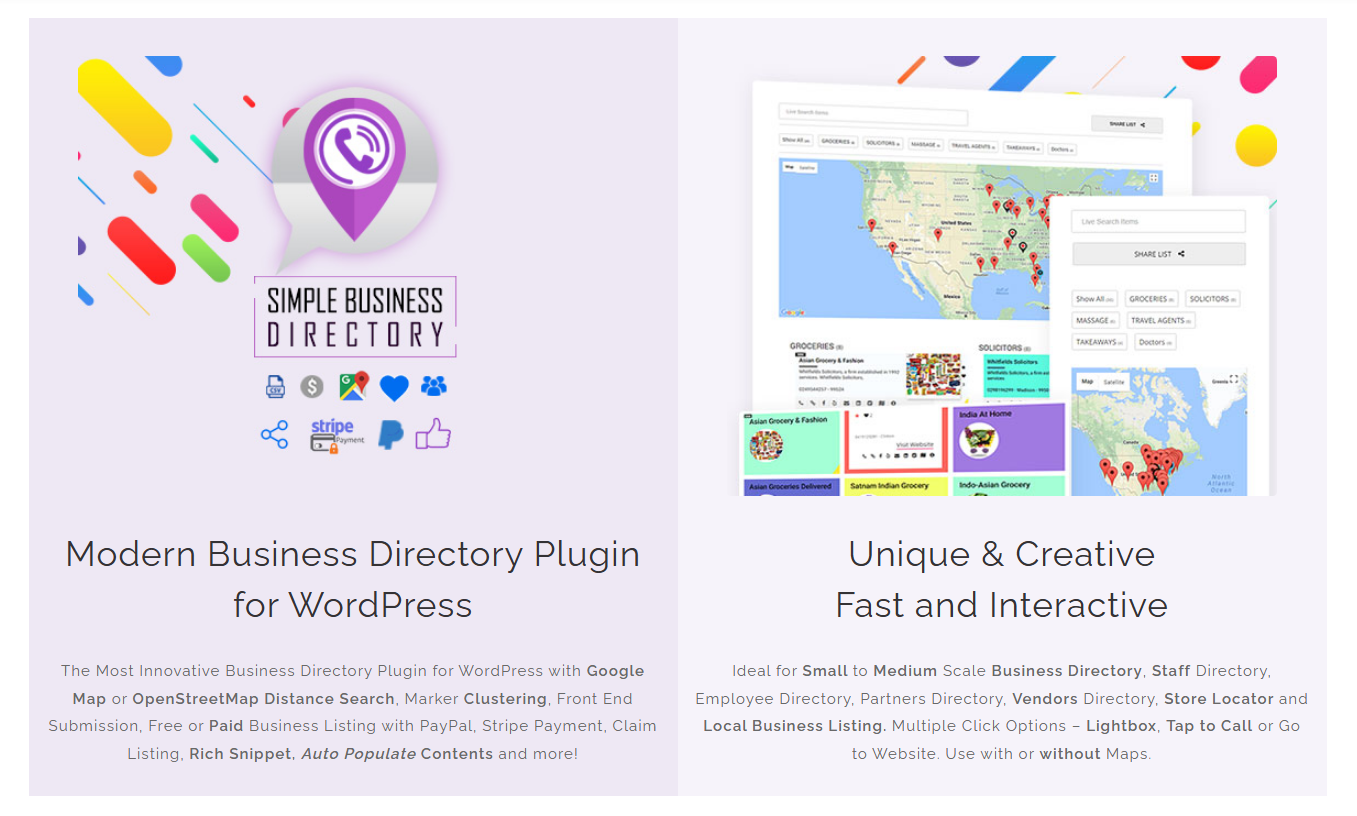
August 21, 2026UncategorizedSimple Business Directory turns a WordPress website into a searchable business directory where administrators can curate listings, businesses can submit listings from the front end, and directory owners can monetize visibility through paid listings, subscriptions, featured placements, and claim-listing opportunities. Simple Business Directory Pro also supports Google Maps or OpenStreetMap, AI-assisted listing generation, front-end submissions, structured data, analytics, and payment integrations that can reduce manual work while creating new revenue opportunities. The real ROI of Simple Business Directory Pro is not limited to listing fees: Simple Business Directory can save administrator hours, create more indexable local content, improve discovery through structured listings and location search, and turn business-owner participation into a repeatable lead and revenue channel. Why does Simple Business Directory Pro pay for itself faster than a manually managed directory? A manually managed directory creates hidden operating costs long before a directory owner notices the problem. Every new business requires data collection, formatting, image handling, location entry, category assignment, publishing, updating, and sometimes customer communication. Simple Business Directory Pro moves many of those repetitive tasks into a structured WordPress workflow. Simple Business Directory Pro can automatically generate listing titles and descriptions from website links, generate thumbnails, and populate latitude and longitude from valid addresses. Simple Business Directory Pro also supports AI-assisted generation through Gemini, OpenAI, and OpenRouter for creating business information and bulk directory content. Consider a directory with 300 listings. If manual research, formatting, and publishing take an average of 8 minutes per listing, the initial workload reaches: 300 × 8 minutes = 2,400 minutes = 40 hours. If Simple Business Directory reduces the average administrator workload to 3 minutes per listing through structured entry, automation, imports, and generated content, the workload becomes: 300 × 3 minutes = 900 minutes = 15 hours. That represents approximately 25 hours saved during the initial build. The exact savings depend on the quality of source data, automation settings, review requirements, and administrator workflow. The important point is that Simple Business Directory creates a repeatable workflow instead of forcing every listing through the same manual process. How can Simple Business Directory turn saved administrator hours into measurable ROI? Simple Business Directory creates measurable ROI when saved administrative time is assigned a realistic internal value. For example, assume a directory manager values working time at $25 per hour. Saving 25 hours during a 300-listing build represents: 25 hours × $25 = $625 in recovered labor value. If Simple Business Directory Pro costs less than the recovered labor value, the software has already generated positive operational ROI before considering listing revenue, SEO traffic, leads, or advertising. Simple Business Directory becomes even more valuable when the directory continues growing after launch because the same workflow can be reused for hundreds or thousands of future listings. Are manual business listing workflows quietly destroying your directory’s growth? Manual listing management becomes expensive when directory growth depends entirely on an administrator. Simple Business Directory provides structured listing management for business names, contact information, websites, addresses, descriptions, images, categories, and location data. Simple Business Directory can also display listings with maps, search, filtering, and multiple directory layouts. A directory owner can organize businesses into separate lists instead of forcing every business into one enormous page. Simple Business Directory’s list-based architecture makes the same WordPress installation useful for local business directories, restaurant directories, staff directories, vendor directories, company directories, and other structured listing projects. Simple Business Directory can reduce manual listing work through: Simple Business Directory automated title and description generation from website links. Simple Business Directory automated thumbnail generation using website information. Simple Business Directory automated latitude and longitude generation from valid business addresses. Simple Business Directory CSV import and export for bulk listing workflows. Simple Business Directory multiple lists for separating businesses by category, location, or niche. Simple Business Directory Google Maps and OpenStreetMap support for location-based directory experiences. Simple Business Directory search and filtering controls for helping visitors find relevant businesses faster. The combination matters because directory growth creates a data-management problem before directory growth creates a traffic problem. Simple Business Directory addresses the data-management problem first. Can Simple Business Directory create stronger SEO without publishing hundreds of random blog posts? Yes, but directory SEO should be treated as structured information architecture rather than a shortcut to rankings. Simple Business Directory can organize businesses into focused lists and expose useful business information such as names, descriptions, locations, websites, phone numbers, categories, and images. Simple Business Directory Pro also supports Schema.org rich snippets with JSON-LD for multi-page mode, giving search engines machine-readable information about directory content. A directory containing 500 genuinely useful businesses can create hundreds of distinct information resources. That does not mean 500 pages automatically equal 500 ranking pages. Search visibility still depends on content quality, uniqueness, search intent, technical SEO, internal linking, authority, competition, and Google’s ability to determine whether individual pages provide useful information. Simple Business Directory strengthens the foundation by turning business data into structured, organized website content. Which Simple Business Directory SEO features can create additional search opportunities? Simple Business Directory can support an SEO strategy built around business + location + category + intent combinations. For example, a local directory could organize businesses around: Search structureExample directory intentSimple Business Directory roleBusiness categoryRestaurantsSimple Business Directory category/list organizationLocationRestaurants in a specific areaSimple Business Directory location dataServiceWedding photographersSimple Business Directory business descriptionsBusiness + locationDentists in a citySimple Business Directory structured listingsLocal discoveryCafes near a neighborhoodSimple Business Directory map/location experienceBrand discoveryLocal software companiesSimple Business Directory curated business lists Simple Business Directory does not guarantee rankings for any search query. Simple Business Directory provides the content structure and directory functionality needed to build pages around legitimate search demand. Why can Simple Business Directory’s embed feature become an SEO growth loop? Simple Business Directory allows directory owners to make curated business lists available for embedding on other websites. The official Simple Business Directory documentation states that embedded lists can include a backlink to the original directory, creating an additional sharing and link-acquisition mechanism. The SEO value should be approached carefully. Simple Business Directory cannot guarantee that every embedded directory produces a valuable backlink. Link relevance, placement, authority, crawlability, and the receiving site’s overall quality determine whether an external link contributes meaningful value. The strategic advantage is distribution. A useful directory list can move beyond the original website and become a resource that other organizations, communities, associations, bloggers, or local sites want to reference. How much can Simple Business Directory save when a directory reaches 1,000 listings? The savings become more obvious as the dataset grows. Assume manual processing requires 7 minutes per listing. 1,000 × 7 minutes = 7,000 minutes = 116.7 hours. If a structured Simple Business Directory workflow reduces average processing to 2.5 minutes: 1,000 × 2.5 minutes = 2,500 minutes = 41.7 hours. Potential time recovered: 116.7 − 41.7 = 75 hours. At an internal labor value of $25 per hour: 75 × $25 = $1,875. Simple Business Directory’s actual savings will vary because some listings require deeper verification, manual editing, image replacement, category decisions, or compliance review. The calculation demonstrates why directory software becomes more valuable as listing volume increases. Business Listing Management Why does Simple Business Directory make business listing management less painful? Simple Business Directory provides a central WordPress-based workflow for creating, organizing, displaying, and maintaining business listings. Simple Business Directory supports detailed listing information and multiple display approaches, allowing directory owners to build anything from a compact one-page local guide to a larger multi-page directory. Simple Business Directory also supports Google Maps and OpenStreetMap, allowing location information to become part of the directory experience instead of remaining buried inside plain text fields. Which Simple Business Directory features matter most for large listing databases? Simple Business Directory listing organization separates businesses into manageable lists. Simple Business Directory location support allows addresses to connect with latitude and longitude data. Simple Business Directory map support gives visitors a visual discovery method. Simple Business Directory responsive templates allow directory content to work across desktop and mobile layouts. Simple Business Directory Gutenberg and page-builder compatibility makes directory placement easier inside existing WordPress websites. Simple Business Directory CSV import/export provides a practical method for moving or backing up listing data. The result is a directory workflow that can grow without requiring every listing to be designed manually. Can Simple Business Directory help turn a spreadsheet into a searchable directory? Simple Business Directory supports CSV import and export, making spreadsheet-based directory management much more practical. A directory owner can prepare structured business data in a spreadsheet, map the relevant fields, import the dataset, review the resulting listings, and publish the directory through WordPress. Simple Business Directory therefore creates a useful bridge between research workflows and public directory publishing. For agencies, local publishers, and SEO teams, the workflow can be especially valuable because business research frequently begins outside WordPress. Community Submissions & Moderation Why should Simple Business Directory let businesses submit listings instead of forcing administrators to enter everything? A directory becomes easier to scale when businesses help populate the directory. Simple Business Directory Pro supports front-end user registration, login, business listing submission, and administration of user-submitted businesses. Simple Business Directory also supports free or paid listing opportunities and configurable approval workflows. That changes the operating model. Instead of: Administrator researches → Administrator enters → Administrator publishes the workflow can become: Business owner submits → Simple Business Directory receives → Administrator reviews → Business listing goes live Simple Business Directory therefore shifts part of the data-entry workload from the directory owner to the business community. How does Simple Business Directory moderation prevent community submissions from becoming a spam disaster? Community submissions create leverage, but uncontrolled submissions create risk. Simple Business Directory provides administrative controls for managing user-submitted businesses and allows administrators to approve submitted listings or configure automatic approval options. Simple Business Directory also supports front-end registration and CAPTCHA-based submission workflows. A sensible moderation model should separate submission from publication. Simple Business Directory recommended moderation workflow: Simple Business Directory receives the business submission. Simple Business Directory applies registration and CAPTCHA controls. Simple Business Directory keeps administrator approval enabled for higher-risk directories. Simple Business Directory allows the administrator to verify business name, website, address, and category. Simple Business Directory publishes approved listings. Simple Business Directory keeps the directory owner responsible for final editorial quality. Simple Business Directory automation should reduce workload without eliminating editorial judgment. Can Simple Business Directory turn business owners into a free content-production team? Yes, within reasonable quality-control boundaries. Simple Business Directory allows businesses and users to submit their own listings through the front end. Simple Business Directory can therefore turn directory participation into a distributed content workflow where businesses provide information about their own organizations. The advantage is not simply saving data-entry time. Business owners are often the people most capable of providing accurate operating information, contact details, descriptions, social profiles, and location data. Simple Business Directory gives the directory owner a mechanism for collecting that information without giving submitters direct WordPress administration access. How can Simple Business Directory create stronger engagement beyond basic listings? Simple Business Directory supports user upvotes and configurable upvote icons, giving visitors a lightweight interaction mechanism. Simple Business Directory also allows registered users to create favorite lists and allows directory lists to be embedded on other websites. These features can create additional behavioral signals inside the directory. A visitor can discover a business, interact with a listing, save a favorite, or share a directory resource. Simple Business Directory therefore turns a static business database into a more interactive discovery system. Monetization & Directory Growth How can Simple Business Directory turn free traffic into direct revenue? Simple Business Directory Pro supports paid business submissions through PayPal and Stripe. Simple Business Directory also supports subscription packages, paid or free listings, claim-listing fees, featured listings, listing visibility periods, and advertising/text blocks. That gives directory owners multiple ways to monetize the same underlying business database. Monetization modelSimple Business Directory mechanismExamplePaid submissionSimple Business Directory paid listing$15/listingFeatured listingSimple Business Directory featured placement$25/monthSubscriptionSimple Business Directory subscription package$99/yearClaim listingSimple Business Directory paid claim$20/claimAdvertisingSimple Business Directory ad/text block$100/monthFree + paidSimple Business Directory mixed listing modelFree basic + paid premium The strongest model depends on the niche, traffic level, business value, and competitive landscape. What does a realistic Simple Business Directory revenue model look like? Consider a local directory with 500 active businesses. Suppose Simple Business Directory generates: 30 paid listings per month × $15 = $450 10 featured upgrades × $25 = $250 5 annual subscription upgrades × $60 equivalent = $300 2 paid claim listings × $20 = $40 Potential monthly revenue: $450 + $250 + $300 + $40 = $1,040 Annualized: $1,040 × 12 = $12,480 That example is not a promise of revenue. Simple Business Directory provides the monetization mechanisms; traffic, niche demand, sales strategy, listing value, pricing, and audience quality determine actual revenue. How can Simple Business Directory create more leads instead of simply more pageviews? A directory earns stronger commercial value when visitors arrive with a specific business need. A visitor searching for “wedding photographer in Dhaka,” for example, has a different commercial intent from a visitor reading a general photography article. Simple Business Directory can organize businesses by category and location so visitors can move from discovery toward direct contact. Simple Business Directory listings can include phone numbers, websites, addresses, social links, and tap-to-call functionality, depending on configuration. The directory therefore becomes a lead-discovery layer rather than merely an informational archive. How should Simple Business Directory owners calculate whether the Pro license pays for itself? Use a simple ROI equation: Simple Business Directory ROI = Time Savings + Gross Directory Revenue + Incremental Lead Value − Software and Operating Costs Consider a hypothetical monthly calculation: ROI componentExample monthly valueAdministrator time recovered$300Paid listings$450Featured listings$250Additional lead value$200Total measurable benefit$1,200Software/operating cost$100Estimated net benefit$1,100 The calculation should use actual business data rather than optimistic assumptions. Simple Business Directory becomes financially compelling when the directory owner tracks hours saved, paid submissions, upgrades, leads, outbound clicks, and recurring customers instead of measuring success only through pageviews. Can Simple Business Directory combine SEO growth with monetization? Yes, and the combination is one of the strongest reasons to build a directory rather than a collection of isolated landing pages. Simple Business Directory can create structured business content that attracts search traffic. Simple Business Directory can then provide commercial pathways through paid listings, featured placements, business claims, and direct business contact options. The growth loop looks like this: More useful listings → More useful directory pages → More search opportunities → More visitors → More business-owner interest → More submissions → More monetization → More resources for directory growth Simple Business Directory does not create the loop automatically. Directory owners still need niche research, quality control, SEO strategy, internal linking, promotion, analytics, and ongoing maintenance. Which Simple Business Directory metrics should a serious directory owner track? Simple Business Directory owners should track operational and commercial metrics together. Simple Business Directory operational metrics: Simple Business Directory listing count: total published businesses. Simple Business Directory submission volume: new business submissions per month. Simple Business Directory approval rate: percentage of submissions approved. Simple Business Directory moderation time: average review time per submission. Simple Business Directory listing update rate: percentage of listings requiring corrections. Simple Business Directory outbound clicks: business website traffic generated from listings. Simple Business Directory commercial metrics: Simple Business Directory paid submission revenue. Simple Business Directory featured listing revenue. Simple Business Directory subscription revenue. Simple Business Directory claim-listing revenue. Simple Business Directory revenue per 100 active listings. Simple Business Directory lead value per visitor. Simple Business Directory can integrate with Google Analytics for outbound link click tracking, providing another useful measurement layer for directory performance. Why does Simple Business Directory become more valuable as the directory gets bigger? The economics of directory software improve when repetitive work increases. A 30-business directory can be managed manually without much pain. A 3,000-business directory is a completely different operational problem. Simple Business Directory’s automation, CSV workflows, front-end submissions, structured listings, location functionality, and monetization options become increasingly useful as listing volume grows. The critical concept is operational leverage. Simple Business Directory does not merely help a directory owner publish the first 100 businesses. Simple Business Directory gives the directory owner reusable workflows for the next 100, 500, and potentially thousands of listings, subject to WordPress hosting capacity and database design. How should developers evaluate Simple Business Directory before deploying a high-traffic directory? Developers should evaluate Simple Business Directory using measurable technical criteria rather than feature-count marketing. Technical areaSimple Business Directory evaluation questionDatabaseHow does Simple Business Directory behave with the expected listing volume?SearchHow quickly does Simple Business Directory return filtered results?MapsHow many map markers are rendered per page?AIHow are Simple Business Directory AI requests controlled and billed?PrivacyWhat listing and user information is stored?SecurityWhat versions, patches, and advisories apply to the installed release?PaymentsHow are Simple Business Directory payment callbacks handled?WebhooksWhat happens when an external endpoint responds slowly?SEOAre listing URLs, canonical URLs, schema, and indexing rules configured correctly?BackupsCan Simple Business Directory listing data be exported and restored? Simple Business Directory should be load-tested against the actual directory configuration rather than judged from a small development installation. What is the fastest practical path to positive ROI with Simple Business Directory? Start with a narrow commercial niche instead of attempting to build a giant generic directory. Simple Business Directory launch sequence: Simple Business Directory should target one high-intent niche. Simple Business Directory should organize listings around useful categories and locations. Simple Business Directory should import or curate an initial dataset. Simple Business Directory should enable front-end submissions. Simple Business Directory should keep moderation strict during the early growth stage. Simple Business Directory should create free and paid listing tiers. Simple Business Directory should offer featured visibility for businesses that need more exposure. Simple Business Directory should measure outbound clicks and conversion activity. Simple Business Directory should publish useful supporting SEO content around the directory niche. Simple Business Directory should reinvest early revenue into content, promotion, and directory quality. The goal is not to create the largest directory. The goal is to create a directory where each additional listing increases usefulness, search coverage, business participation, and monetization potential. FAQ’s About Simple Business Directory Does Simple Business Directory Pro really pay for itself? Simple Business Directory Pro can pay for itself when the directory owner measures the three economic benefits that are easiest to overlook: time saved, commercial traffic created, and directory revenue generated. Simple Business Directory reduces repetitive listing administration through automation, structured management, imports, front-end submissions, and AI-assisted content workflows. Simple Business Directory can strengthen the directory’s SEO foundation through structured business information, organized lists, location content, JSON-LD support, and embeddable resources. Simple Business Directory also creates direct monetization opportunities through paid listings, subscriptions, featured placements, claim listings, PayPal, and Stripe. The strongest ROI calculation is therefore not: “How much does Simple Business Directory Pro cost?” The better question is: “How much administrative labor, search visibility, business participation, lead value, and listing revenue can Simple Business Directory create compared with running the same directory manually?” For a serious directory project, that is the number worth measuring. [...]

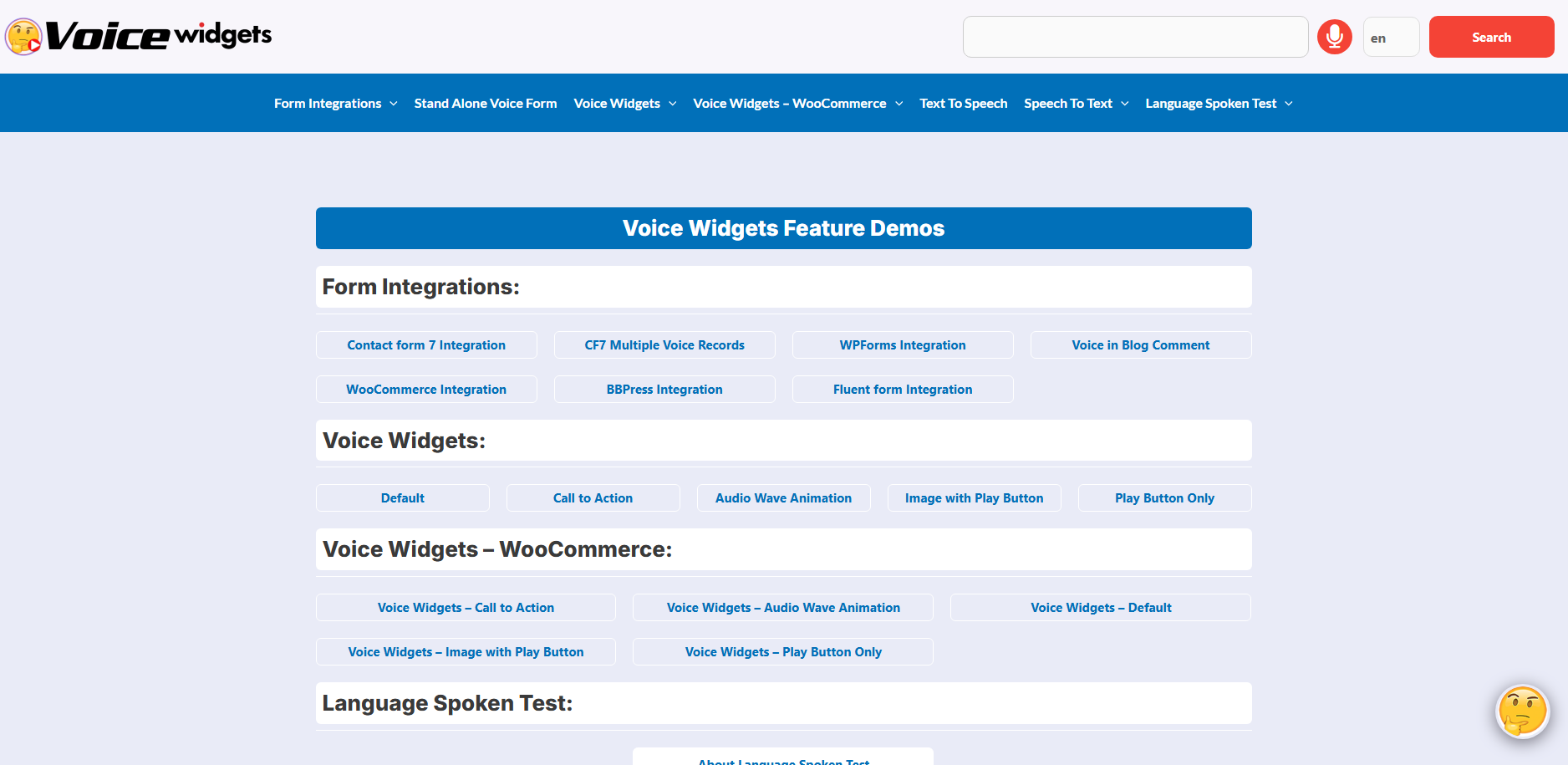
August 7, 2026UncategorizedVoice Widgets Pro transforms ordinary WordPress contact forms into voice-enabled communication experiences that reduce typing friction, capture more complete user input, and improve form completion rates. Voice Widgets Pro combines Form Integrations, Language Spoken Test, and Speech To Text to help businesses collect higher-quality leads while making websites more accessible and user-friendly. Why Do So Many Visitors Abandon Contact Forms Before Clicking Submit? Most website visitors don’t enjoy filling out forms. Typing on mobile devices takes time. Long contact forms feel frustrating. Small keyboards increase errors. Every additional field increases abandonment. Voice Widgets Pro removes much of that friction by allowing visitors to speak naturally instead of typing everything manually. Instead of asking visitors to spend two minutes typing a detailed message, Voice Widgets Pro lets visitors describe their needs using their own voice in seconds. That single change often improves: Faster form completion Better lead quality Longer customer messages Higher accessibility Better mobile experience Why Does Voice Input Feel More Natural Than Traditional Forms? People speak faster than they type. The average adult types around 35–45 words per minute, while natural speech averages 120–150 words per minute. That difference matters. Instead of writing: “Need help with WooCommerce checkout.” Visitors using Voice Widgets Pro might naturally explain: “We’re running WooCommerce on three stores and the checkout page stops working after payment. We need someone to fix the problem this week.” More context means better leads. More context means fewer follow-up emails. More context means higher conversion potential. Form Integrations Why Should Every Contact Form Become a Voice Form? A traditional contact form only captures typed information. Voice Widgets Pro upgrades existing forms by adding voice communication without forcing visitors to learn anything new. Visitors continue using the same familiar form while gaining the option to speak naturally. Which Contact Form Plugins Work with Voice Widgets Pro? One of the biggest strengths of Voice Widgets Pro is broad compatibility. WordPress Form PluginVoice Input SupportSpeech To TextMobile FriendlyContact Form 7✅✅✅WPForms✅✅✅Fluent Forms✅✅✅Gravity Forms✅✅✅BBPress Forms✅✅✅ Businesses don’t need to rebuild existing forms. Voice Widgets Pro works alongside popular WordPress form builders. How Does Voice Widgets Pro Improve Contact Form Conversion? Every extra click creates friction. Every unnecessary keystroke creates hesitation. Voice Widgets Pro removes both. Instead of asking visitors to type long messages, Voice Widgets Pro adds a microphone button directly inside supported forms. Visitors simply: Tap microphone Speak naturally Review transcription Submit form The experience feels familiar because modern smartphones already use voice typing daily. Why Does Voice Widgets Pro Generate Better Leads? Short typed messages rarely explain the full problem. Visitors often submit messages like: Need pricing Need help Call me Interested Those messages require additional emails before meaningful conversations begin. Voice Widgets Pro encourages visitors to explain their situation naturally. Businesses receive richer context immediately. That improves: Sales qualification Support accuracy Response speed Customer satisfaction How Much Time Can Voice Widgets Pro Save? Consider a digital agency receiving 300 inquiries every month. ActivityTraditional FormsVoice Widgets ProAverage Message Length18 words85 wordsClarification Emails180/month60/monthAverage Response Time18 minutes9 minutesQualified Leads120165 Example calculation: 45 additional qualified leads/month × 15% closing rate × $800 average project value = $5,400 additional monthly revenue potential The exact results vary, but the business logic remains straightforward: richer initial information reduces qualification time and increases efficiency. Why Does Voice Widgets Pro Work Especially Well on Mobile Devices? Over 60% of website traffic now comes from mobile devices. Typing long messages on a smartphone isn’t enjoyable. Speaking is. Voice Widgets Pro turns a frustrating mobile form into a quick conversation. That small usability improvement can significantly reduce form abandonment. Language Spoken Test Why Is Language Detection Important Before Recording Voice? Not every visitor speaks the same language. International businesses receive visitors from many countries. Voice Widgets Pro includes a Language Spoken Test that helps identify the language being spoken before processing speech. That creates a smoother experience for multilingual websites. How Does Voice Widgets Pro Handle Different Languages? Voice Widgets Pro analyzes spoken language before transcription begins. Instead of assuming every visitor speaks English, Voice Widgets Pro identifies the spoken language and processes speech accordingly, depending on the supported speech recognition service. That improves transcription quality for multilingual audiences. Which Businesses Benefit Most from Language Spoken Test? The Language Spoken Test inside Voice Widgets Pro benefits organizations serving international customers. Examples include: Global SaaS companies Universities Travel agencies Medical tourism websites Immigration consultants International eCommerce stores WordPress agencies Hospitality businesses Every multilingual website benefits when visitors can communicate comfortably. How Does Voice Widgets Pro Reduce Language Frustration? Visitors often struggle when forced to write in a second language. Speaking feels easier. Voice Widgets Pro allows visitors to express ideas naturally while improving language recognition before transcription. That reduces misunderstandings and improves communication accuracy. Why Does Language Spoken Test Improve Customer Experience? Imagine two visitors. Visitor A spends three minutes typing broken English. Visitor B uses Voice Widgets Pro to explain the same issue naturally. Visitor B usually provides: More details Better context More confidence Less frustration Everyone wins. Why Does Language Spoken Test Help International Support Teams? Support agents spend less time guessing customer intent. Sales teams receive better information. Technical teams understand issues faster. Voice Widgets Pro improves communication before the first email reply ever happens. Speech To Text Why Is Speech To Text the Most Valuable Feature Inside Voice Widgets Pro? Speech To Text converts spoken language into editable text. That means visitors remain in control. After speaking, visitors can: Review transcription Correct mistakes Add extra details Submit with confidence Voice Widgets Pro keeps the familiar form workflow while making input dramatically faster. How Accurate Is Voice Widgets Pro Speech To Text? Speech recognition accuracy depends on: Browser capabilities Microphone quality Background noise Internet connection Selected language Under good conditions, modern speech recognition can achieve very high accuracy, and Voice Widgets Pro allows users to review and edit transcribed text before submission. That verification step helps ensure the final message reflects the visitor’s intent. Why Does Speech To Text Produce Better Customer Messages? Typing encourages short messages. Speaking encourages storytelling. Instead of writing: Need quote. Visitors using Voice Widgets Pro often say: We operate a manufacturing company with four websites and we’re looking for ongoing WordPress maintenance plus WooCommerce optimization. Sales teams immediately understand the opportunity. How Does Voice Widgets Pro Improve Accessibility? Accessibility isn’t optional. Some visitors experience: Limited mobility Temporary injuries Dyslexia Slow typing Mobile limitations Voice Widgets Pro gives those visitors another way to communicate. Voice input complements traditional typing rather than replacing it, making forms more inclusive. Why Does Voice Widgets Pro Help Customer Support Teams? Support agents spend less time requesting missing information. Complete customer descriptions improve: Ticket categorization Priority assignment Initial troubleshooting First-response quality Voice Widgets Pro helps support teams begin with more complete information. How Does Voice Widgets Pro Reduce Form Fatigue? Visitors dislike repetitive typing. Voice Widgets Pro replaces repetitive typing with natural conversation. That psychological difference matters. People naturally explain problems aloud more easily than writing long paragraphs. What Does the Complete Voice Workflow Look Like? The complete workflow inside Voice Widgets Pro is simple. Visitor Opens Contact Form            │            ▼ Clicks Voice Button            │            ▼ Language Spoken Test            │            ▼ Speech Recognition            │            ▼ Speech To Text            │            ▼ Visitor Reviews Text            │            ▼ Submit Contact Form            │            ▼ Website Receives Rich Lead Information Every step is designed to reduce friction while preserving the familiar contact form experience. How Does Voice Widgets Pro Compare with Traditional Contact Forms? FeatureTraditional Contact FormVoice Widgets ProVoice Input❌✅Speech To Text❌✅Language Spoken Test❌✅Mobile FriendlyLimitedExcellentAccessibility SupportBasicEnhancedLong Message CollectionDifficultEasyUser ConvenienceModerateHighExisting Form IntegrationNative OnlyWorks with Popular Form Builders How Can Businesses Estimate the ROI of Voice Widgets Pro? A simple ROI model helps illustrate the business value of reducing form friction. Assume: Monthly website visitors: 10,000  Contact form conversion rate: 2.5%  Monthly leads: 250  Average project value: $1,200  If Voice Widgets Pro improves the conversion rate from 2.5% to 3.2% by making forms easier to complete: MetricBeforeAfterMonthly Visitors10,00010,000Conversion Rate2.5%3.2%Monthly Leads250320Additional Leads—70 If 20% of those additional leads become customers: 70 Additional Leads × 20% Conversion = 14 Additional Customers × $1,200 = $16,800 Additional Revenue Opportunity Actual performance varies by industry, traffic quality, and sales process, but reducing friction at the form stage can create measurable downstream value. Why Does Voice Widgets Pro Fit Modern WordPress Websites? Modern visitors expect faster, simpler interactions. Voice Widgets Pro aligns with those expectations by combining familiar forms with natural voice communication. Rather than forcing visitors to type every detail, Voice Widgets Pro gives them the choice to speak, review their words, and submit richer information. The combination of Form Integrations, Language Spoken Test, and Speech To Text helps businesses improve usability without replacing existing workflows. Whether the goal is generating higher-quality leads, supporting multilingual visitors, or making contact forms more accessible, Voice Widgets Pro provides a practical way to transform static forms into engaging voice-enabled communication tools. FAQ’s [...]
July 10, 2026UncategorizedWPBot helps web design agencies convert more website visitors into qualified leads, customer conversations, and completed WooCommerce purchases without relying on expensive monthly chatbot services. WPBot Master License gives agencies one lifetime solution that combines AI chat, Conversational Forms, Live Chat, WooCommerce automation, and agency-friendly licensing across up to 50 client websites. Why Are Smart Web Design Agencies Moving Away from Monthly AI Chatbot Subscriptions? Every agency owner knows the feeling. A client asks for an AI chatbot. You compare several SaaS chatbot providers. The monthly bill starts at $40, then $90, then $300 as conversations increase. After ten client websites, recurring costs become difficult to justify. WPBot Master License solves a completely different problem. Instead of renting chatbot software every month, WPBot Master License gives agencies a lifetime license that can be installed on up to 50 WordPress websites. Every new client becomes an opportunity instead of another monthly expense. For agencies building multiple WordPress projects every month, predictable costs matter just as much as powerful features. Why Does 2026 Demand More Than a Simple Website Chat Widget? Visitors no longer expect websites to behave like digital brochures. Visitors expect instant answers. Visitors expect product recommendations. Visitors expect AI assistance. Visitors expect immediate support without waiting for email responses. WPBot was built around these expectations. Rather than acting as a simple floating chat button, WPBot becomes an intelligent communication layer across an entire WordPress website. WPBot can: Answer frequently asked questions Search posts and pages Search WooCommerce products Collect customer information Start live conversations Recommend products Recover abandoned shopping sessions Trigger conversational forms Connect with modern AI models Escalate conversations to human agents That combination makes WPBot much more valuable than a traditional chatbot. Why Are Agencies Treating AI Chat as a Standard Website Feature? Five years ago, AI chat was considered a premium add-on. In 2026, many clients expect AI support before signing a web design contract. That changes agency pricing. Instead of charging only for website development, agencies can package ongoing customer engagement features directly into every project. Typical agency package upgrades now include: Traditional Website PackageWebsite Package with WPBotContact FormAI Chat AssistantFAQ PageAI Knowledge SearchProduct SearchConversational Product SearchEmail SupportLive ChatStatic Lead FormConversational FormsManual Product DiscoveryAI RecommendationsBasic WooCommerceWooCommerce Chat Automation Every upgrade increases perceived value without dramatically increasing development time. Why Does the WPBot Master License Fit the Agency Business Model? Most WordPress agencies manage multiple client websites. Recurring SaaS chatbot subscriptions create recurring operational expenses. WPBot Master License changes the economics. Instead of paying monthly chatbot fees for every customer, WPBot Master License provides one lifetime purchase that supports installation across multiple client websites. For agencies managing dozens of WordPress projects, predictable licensing makes long-term planning much easier. Some agency advantages include: Lifetime updates Priority support White-label branding Installation on up to 50 websites OpenAI integration Google Gemini integration DialogFlow integration WooCommerce integration Live Chat Conversational Forms Webhook support Multilingual capabilities Because WPBot Master License bundles these capabilities together, agencies avoid purchasing multiple plugins to deliver similar functionality. How Much Money Can Agencies Actually Save? Recurring subscriptions often look inexpensive at first. The problem appears when client numbers grow. Consider this simplified comparison. Agency SizeSaaS Chatbot ($49/site/month)WPBot Master License5 Client Websites$245/monthOne-Time License10 Client Websites$490/monthSame License20 Client Websites$980/monthSame License30 Client Websites$1,470/monthSame License50 Client Websites$2,450/monthSame License The exact numbers vary depending on the SaaS provider, but the pattern remains consistent. Recurring subscriptions grow linearly. WPBot Master License remains a one-time investment. That difference directly improves agency profit margins. Why Is WPBot Easier to Sell Than Separate Marketing Tools? Clients rarely ask for plugins. Clients ask for business outcomes. Clients want: More leads More appointments More product sales Better customer support Faster responses Lower support costs WPBot delivers several of these outcomes inside one solution. Instead of explaining multiple plugins, agencies can demonstrate one working customer journey. A visitor arrives. WPBot starts a conversation. WPBot answers questions. WPBot recommends products. WPBot captures contact details. WPBot hands the visitor to a human agent if necessary. That workflow is much easier for clients to understand. Why Are Conversational Forms Replacing Traditional Contact Forms? Most website forms fail for one simple reason. Visitors dislike filling out long forms. Large forms create friction. Every additional field reduces completion rates. WPBot Conversational Forms replace static forms with natural conversations. Instead of presenting ten input fields simultaneously, WPBot asks one simple question at a time. The experience feels much closer to messaging than paperwork. That small change often increases visitor engagement. How Do WPBot Conversational Forms Keep Visitors Engaged? Traditional forms overwhelm users. WPBot Conversational Forms reduce cognitive load. A conversation might look like this: WPBot: Hello! What service are you interested in? Visitor:Website redesign. WPBot:Great choice. What type of business do you run? Visitor:Dental clinic. WPBot:How many pages does your current website have? Visitor:Around twenty. WPBot:Would you like a free consultation? Visitor:Yes. Instead of abandoning a long form halfway through, visitors naturally continue the conversation. That psychological difference matters. Why Do Agencies Prefer WPBot Conversational Forms for Lead Generation? Every agency wants better-qualified leads. WPBot Conversational Forms help collect structured information before a sales call even begins. Common qualification questions include: Company size Budget range Industry Timeline Required services Existing website platform Monthly traffic WooCommerce usage Marketing goals Because WPBot collects these answers conversationally, agency sales teams begin every conversation with valuable context. That saves time for both the agency and the client. How Can WPBot Conversational Forms Replace Multiple Plugins? Many WordPress websites use one plugin for contact forms, another for lead capture, another for chatbot automation, and another for AI assistance. Managing several plugins increases maintenance complexity. WPBot consolidates these workflows into one conversational interface. Instead of switching between different dashboards, agencies configure lead generation inside WPBot. That simplifies onboarding for new developers and reduces plugin conflicts. Which Businesses Benefit Most from WPBot Conversational Forms? Almost every service-based business collects information before making a sale. WPBot Conversational Forms adapt naturally to different industries. Digital Agencies WPBot qualifies website redesign requests before scheduling consultations. Law Firms WPBot gathers case type, urgency, and contact information before attorney follow-up. Medical Clinics WPBot helps visitors request appointments while collecting preliminary details. Educational Institutions WPBot guides prospective students through admission inquiries. Real Estate Companies WPBot collects property preferences, budget, and preferred locations. SaaS Businesses WPBot qualifies demo requests by gathering company size, industry, and software requirements. Each workflow can be customized without changing the conversational experience. How Does WPBot Improve Lead Quality Instead of Just Lead Quantity? Generating hundreds of leads means very little if most leads are unqualified. WPBot Conversational Forms allow agencies to filter prospects before sales representatives become involved. For example, WPBot can ask: What is your monthly marketing budget? Do you already have a WordPress website? When do you plan to launch? Are you replacing an existing website? Do you require WooCommerce? Those answers help agencies prioritize high-intent prospects. Sales representatives spend more time closing deals and less time sorting through incomplete inquiries. Why Does WPBot Create Better User Experiences Than Static Forms? Traditional forms interrupt visitors. WPBot continues the conversation. Visitors remain focused because WPBot presents one question at a time, acknowledges each response, and guides users naturally toward the next step. Instead of feeling like an administrative task, lead generation feels like a helpful conversation. That difference explains why many agencies now position WPBot Conversational Forms as a premium feature in every WordPress project they deliver. Why Are Visitors Leaving Your Website Before Talking to Your Team? Many websites lose potential customers for a simple reason. Visitors have questions, but nobody answers them in time. A visitor waits for an email reply. Another visitor searches through several FAQ pages. Many simply close the browser and choose a competitor. WPBot Live Chat removes that delay by making conversations immediate. Instead of forcing visitors to wait, WPBot creates a direct communication channel between customers and your support or sales team. How Does WPBot Live Chat Turn Conversations into Sales Opportunities? Website chat should do more than answer questions. WPBot Live Chat helps agencies build complete customer journeys that begin with AI assistance and end with a human conversation when necessary. A typical workflow looks like this: WPBot greets the visitor. WPBot answers common questions using website content or AI. WPBot recommends products or services. WPBot detects when human assistance is needed. WPBot Live Chat transfers the conversation to a live agent. The sales or support team continues the discussion without forcing the visitor to start over. Because WPBot preserves conversation context, human agents immediately understand what the visitor already asked. Why Does WPBot Live Chat Reduce Customer Frustration? Customers dislike repeating the same information. Traditional support systems often ask customers to explain their problem multiple times. WPBot Live Chat avoids that experience by keeping the conversation connected. Instead of restarting the interaction, WPBot passes previous messages to the support team. Human agents spend less time collecting basic information and more time solving real problems. That creates a smoother customer experience while reducing support workload. How Does WPBot Balance AI Automation with Human Support? Automation should never become a dead end. WPBot handles repetitive questions such as: Business hours Shipping information Refund policies Product availability Pricing questions Documentation searches Knowledge base lookups When a conversation becomes complex, WPBot Live Chat allows a human agent to take over. This hybrid model gives agencies the best of both worlds. Routine questions stay automated. Important sales conversations remain personal. Which Businesses Gain the Most Value from WPBot Live Chat? Every industry benefits from faster communication, but several industries see particularly strong results. eCommerce Stores WPBot Live Chat helps shoppers compare products, answer shipping questions, and remove purchase hesitation before checkout. Digital Agencies WPBot Live Chat qualifies project inquiries before connecting prospects with a sales consultant. Healthcare Websites WPBot Live Chat assists patients with appointment requests, clinic information, and general inquiries while allowing staff members to handle sensitive conversations. Educational Organizations WPBot Live Chat helps prospective students receive immediate answers about admissions, tuition, and course availability. Software Companies WPBot Live Chat supports product demonstrations, onboarding questions, and subscription inquiries without overwhelming technical support teams. Why Does WPBot Help Agencies Deliver Premium Support Without Hiring Larger Teams? Hiring additional support staff is expensive. Training new support agents requires time. Managing multiple communication platforms increases complexity. WPBot automates repetitive conversations before human involvement becomes necessary. That means existing support teams can focus on: High-value customers Technical troubleshooting Enterprise sales Custom project discussions Complex WooCommerce issues Every automated conversation saves valuable staff time. How Does WPBot Improve Customer Response Time? Fast responses build trust. Industry research consistently shows that response speed influences conversion rates. WPBot answers common questions instantly instead of forcing visitors to wait minutes or hours. Consider this comparison. Customer Support TaskTraditional WebsiteWebsite Using WPBotFirst ResponseEmail queueInstant AI responseFAQ SearchManual browsingConversational searchProduct DiscoveryNavigation menusAI-guided recommendationsSales QuestionsContact formImmediate conversationHuman EscalationSeparate support ticketIntegrated Live ChatVisitor ExperiencePassive browsingInteractive engagement Every faster interaction creates another opportunity to keep visitors engaged. Why Is WooCommerce Retargeting Becoming Essential in 2026? Traffic is expensive. Whether visitors arrive through Google Ads, Facebook Ads, SEO, or email campaigns, acquiring each visitor costs money. The biggest problem is not attracting visitors. The biggest problem is losing visitors before they purchase. WPBot WooCommerce Retargeting helps agencies reconnect with shoppers before those sales disappear. What Does WPBot WooCommerce Retargeting Actually Do? Most online shoppers do not purchase during their first visit. Some visitors compare prices. Some visitors become distracted. Some visitors simply need another reminder. WPBot WooCommerce Retargeting helps agencies re-engage those visitors through intelligent conversations and personalized recommendations. Instead of ending the customer journey when someone leaves a product page, WPBot continues nurturing purchase intent. How Does WPBot Recover More Abandoned Shopping Carts? Cart abandonment is one of the largest revenue leaks for WooCommerce stores. A visitor may: Add products to the cart. Browse shipping options. Compare competitors. Leave without purchasing. WPBot recognizes these moments and encourages shoppers to continue. Depending on the store configuration, WPBot can: Remind shoppers about products left in the cart. Answer last-minute purchase questions. Recommend complementary products. Offer additional product information. Guide visitors back to checkout. Reducing hesitation often produces better conversion rates than simply increasing website traffic. Why Does WPBot Recommend Products More Naturally? Traditional product recommendation widgets display generic “Related Products.” Many shoppers ignore them. WPBot recommends products inside a conversation. For example: Visitor: I need running shoes for beginners. WPBot: Here are three beginner-friendly options based on comfort and budget. Visitor: Which one works for long-distance running? WPBot: This model provides additional cushioning for extended runs. The recommendation feels personal instead of automated. That conversational approach encourages shoppers to continue exploring products. How Does WPBot Increase Average Order Value? Selling one product is good. Selling complementary products is even better. WPBot supports intelligent upselling and cross-selling through conversation. Examples include: Laptop → Laptop Bag Smartphone → Screen Protector Camera → Memory Card Coffee Machine → Coffee Beans Gaming Console → Extra Controller Instead of interrupting the customer journey, WPBot introduces relevant suggestions at the right moment. That creates a more natural shopping experience while increasing average order value. How Does WPBot Reduce Product Search Friction? Large WooCommerce stores often contain thousands of products. Traditional navigation becomes difficult. Customers may abandon their search before finding the right item. WPBot simplifies discovery through conversational product search. Instead of navigating several menus, visitors can simply ask: Show me waterproof hiking boots. Find office chairs under $200. Recommend gifts for photographers. Compare wireless keyboards. Display red dresses in medium size. WPBot transforms product search into a conversation. How Can Agencies Package WPBot as a Premium WooCommerce Service? Agencies often struggle to differentiate themselves from competitors. Every agency can install WooCommerce. Fewer agencies deliver intelligent shopping experiences. Many agencies now include WPBot inside premium WooCommerce packages. Example service tiers: PackageIncluded FeaturesStarterWPBot AI Chat, FAQ Search, Product SearchGrowthStarter + WPBot Conversational Forms + Live ChatProfessionalGrowth + WPBot WooCommerce Retargeting, AI Product Recommendations, AnalyticsEnterpriseProfessional + White Label, Multiple AI Models, Webhooks, CRM Integrations Each upgrade creates recurring value without rebuilding the website. What Does the ROI Look Like for a Typical Agency Client? Many agency owners ask a simple question: “Will adding WPBot actually increase revenue?” A realistic example illustrates the potential. Scenario Monthly visitors: 20,000 Conversion rate: 2.0% Average order value: $85 Monthly revenue: 20,000 × 2.0% × $85 = $34,000 Now assume WPBot helps improve conversion from 2.0% to 2.4% by reducing hesitation, improving customer support, and assisting product discovery. New monthly revenue: 20,000 × 2.4% × $85 = $40,800 Monthly revenue increase: $6,800 Annual revenue increase: $81,600 Actual results depend on traffic quality, product pricing, customer behavior, and website optimization, but even modest improvements in conversion rate can produce meaningful business outcomes. Why Does WPBot Help Agencies Build Long-Term Client Relationships? Many agencies earn money only during website development. That project eventually ends. WPBot creates opportunities for ongoing optimization. Clients often request: New conversational workflows AI prompt improvements Additional lead qualification WooCommerce optimization CRM integrations Analytics reviews Knowledge base expansion Seasonal campaigns Instead of completing a project and moving on, agencies continue improving WPBot as client businesses grow. That ongoing relationship supports recurring service revenue while delivering continuous value to clients. Why Are More Agencies Standardizing Every WordPress Build Around WPBot? Successful agencies rely on repeatable systems. Every custom solution increases maintenance time. Every unfamiliar plugin increases developer training. WPBot provides a consistent conversational framework across service websites, WooCommerce stores, educational platforms, healthcare websites, membership portals, and corporate WordPress projects. By standardizing on WPBot, agencies reduce implementation time, simplify staff training, and deliver a familiar experience across every client website. Why Do Successful Agencies Build Repeatable Systems Instead of One-Off Websites? The fastest-growing WordPress agencies rarely reinvent every project. Instead, successful agencies standardize the tools, workflows, and automation they deploy across every client website. WPBot Master License fits naturally into this strategy because WPBot provides the same conversational foundation for business websites, WooCommerce stores, educational portals, healthcare websites, membership platforms, and corporate WordPress installations. A repeatable system reduces onboarding time for developers, simplifies maintenance, and creates predictable project delivery. How Does WPBot Fit into a Modern Agency Workflow? A modern agency does much more than design pages. Clients expect lead generation, AI automation, customer support, analytics, and sales optimization from day one. WPBot allows agencies to build these capabilities into every WordPress project instead of treating them as expensive custom development. A typical implementation workflow looks like this: Project PhaseAgency ActivityWPBot ContributionDiscoveryUnderstand client goalsWPBot identifies required conversation flowsDesignBuild website UIWPBot conversation widget complements the interfaceDevelopmentConfigure WordPressWPBot integrates with AI models, WooCommerce, and formsContentPublish pages and FAQsWPBot indexes website content for conversational searchLaunchQuality assuranceWPBot tests conversation paths and lead captureGrowthContinuous optimizationWPBot improves conversations using analytics and customer feedback This repeatable workflow helps agencies launch projects faster without sacrificing quality. Why Does WPBot Reduce Long-Term Maintenance Costs? Every additional plugin introduces another update cycle. Every extra plugin increases the possibility of compatibility issues. WPBot combines multiple customer engagement features into one solution, allowing agencies to reduce plugin sprawl while simplifying future maintenance. Instead of managing separate plugins for AI chat, lead forms, live chat, product recommendations, and conversational search, developers can manage these functions through WPBot. A streamlined plugin stack also makes troubleshooting easier after WordPress core updates. How Can Agencies Build Reusable WPBot Templates? Experienced agencies avoid configuring every client website from scratch. WPBot supports reusable conversation structures that developers can adapt for different industries. Common reusable templates include: Website Design Consultation WPBot asks: What type of website do you need? What is your estimated budget? What is your preferred launch date? Do you currently use WordPress? Would you like a free consultation? WooCommerce Store WPBot guides shoppers through: Product discovery Product comparison Shipping questions Payment methods Cart assistance Checkout support Healthcare Website WPBot collects: Appointment requests Department selection Doctor preferences Contact information General clinic inquiries Law Firm WPBot qualifies visitors by asking: Practice area Case urgency Preferred consultation date Contact details These reusable workflows reduce implementation time across future projects. How Does WPBot Support Multi-Client Agency Operations? Agency growth creates operational challenges. Managing five websites differs greatly from managing fifty. WPBot Master License allows agencies to deploy a consistent conversational experience across multiple client websites while maintaining separate configurations for each business. For example: Client A uses WPBot for lead generation. Client B uses WPBot for WooCommerce sales. Client C uses WPBot for appointment scheduling. Client D uses WPBot for technical documentation. Client E uses WPBot for multilingual customer support. Each website serves different business goals while relying on the same trusted solution. Why Should Agencies Integrate WPBot with Modern AI Models? AI capabilities continue to evolve rapidly. Rather than limiting agencies to a single provider, WPBot supports integration with several modern AI services, allowing developers to choose the model that best matches each client’s requirements. Common use cases include: Customer support automation Content assistance Product recommendations FAQ generation Technical documentation search Sales conversations This flexibility gives agencies room to adapt as AI technology changes. How Does WPBot Work Alongside Existing WordPress Plugins? Most client websites already rely on established WordPress tools. WPBot complements existing workflows rather than replacing the entire technology stack. Typical agency combinations include: Existing PluginWPBot EnhancementWooCommerceConversational shopping assistanceElementorAI-powered visitor engagementWPFormsConversational lead qualificationKnowledge Base PluginsConversational article searchCRM IntegrationsLead collection and routingMembership PluginsPersonalized member assistance Because WPBot integrates with common WordPress ecosystems, agencies can extend existing websites without rebuilding them. How Can Agencies Measure WPBot Success? Clients rarely care about chatbot technology alone. Clients care about measurable business outcomes. Agencies should monitor key performance indicators before and after deploying WPBot. Recommended KPIs include: Lead conversion rate Conversation completion rate Average response time Qualified leads generated Average order value Cart recovery rate Customer support resolution time Bounce rate reduction Pages viewed per session Live chat escalation rate Tracking these metrics demonstrates the business impact of WPBot over time. Why Does WPBot Improve Client Retention for Agencies? Winning a website project is valuable. Keeping the client for years is even more valuable. WPBot creates ongoing opportunities for optimization because conversational experiences evolve alongside the client’s business. Agencies can offer recurring services such as: Conversation flow optimization AI prompt refinement Knowledge base updates Seasonal promotional campaigns WooCommerce recommendation improvements Analytics reviews Lead qualification enhancements AI model upgrades These ongoing improvements strengthen long-term agency-client relationships while generating recurring service revenue. What Best Practices Should Developers Follow When Deploying WPBot? A successful WPBot deployment starts with thoughtful planning rather than enabling every feature at once. Developer best practices include: Define clear conversation goals before creating chat flows. Use concise questions inside WPBot Conversational Forms to reduce abandonment. Maintain an updated knowledge base so WPBot provides accurate responses. Configure Live Chat escalation rules for complex customer inquiries. Review AI responses regularly to improve quality and consistency. Test WooCommerce conversations after product updates. Monitor analytics to identify unanswered customer questions. Keep WordPress, themes, and plugins updated to maintain compatibility and security. Following these practices helps agencies deliver reliable conversational experiences across client websites. Frequently Asked Questions (FAQ) Final Thoughts: Why Are More Agencies Standardizing on WPBot in 2026? Building beautiful WordPress websites is no longer enough. Clients expect websites to answer questions instantly, qualify leads automatically, recommend products intelligently, recover abandoned carts, and provide immediate access to human support. Delivering those capabilities separately often means purchasing multiple plugins, managing several dashboards, and paying recurring subscription fees. WPBot Master License gives web design agencies a different path. Instead of assembling a collection of disconnected tools, WPBot combines AI-powered conversations, Conversational Forms, Live Chat, WooCommerce engagement, knowledge base search, multilingual capabilities, webhook integrations, and modern AI connectivity into one WordPress-native solution. For agencies managing multiple client websites, WPBot Master License offers another important advantage: a scalable licensing model. A single lifetime license can support up to 50 WordPress websites, making it easier to standardize development workflows, reduce software costs, and maintain a consistent client experience across every project. The long-term value extends beyond the initial website launch. Every WPBot deployment creates opportunities for ongoing optimization through improved conversation flows, AI prompt refinement, WooCommerce enhancements, knowledge base updates, and analytics-driven improvements. Those continuous enhancements help agencies build stronger client relationships while creating recurring service opportunities. As AI becomes a standard expectation rather than a premium feature, agencies that adopt repeatable conversational experiences will be better positioned to compete. For many WordPress professionals in 2026, WPBot Master License is no longer just another chatbot plugin—it is a practical agency toolkit for delivering smarter websites, more efficient customer engagement, and sustainable business growth. [...]
June 26, 2026UncategorizedMost WooCommerce stores lose sales because visitors leave without finding the right product or getting answers to their questions. WoowBot solves this problem. It works as a 24/7 AI sales associate, engaging visitors in real-time, answering product questions, recommending relevant items, guiding shoppers through the buying journey, and helping convert casual browsers into paying customers. Unlike human sales staff, WoowBot never sleeps, never takes a break, and can assist unlimited visitors simultaneously. If you want to increase conversions, reduce abandoned carts, and improve customer experience, an AI-powered chatbot like WoowBot is one of the smartest investments for your WooCommerce store. Why Do Most WooCommerce Visitors Leave Without Buying? Getting website traffic is expensive. Whether you’re investing in: Google Ads Facebook Ads SEO Email marketing Social media every visitor has value. Yet most visitors leave without making a purchase. Why? Usually not because they dislike your products. More often, it’s because they couldn’t quickly find what they needed. Common reasons include: Too many products Confusing navigation Slow customer support Unanswered product questions Price uncertainty Shipping questions Lack of confidence Every unanswered question increases the chance that visitors leave your website. What Is WoowBot? WoowBot is an AI-powered WooCommerce chatbot built specifically for online stores. Instead of forcing customers to search manually, WoowBot starts a conversation. It helps shoppers: Find products Compare options Check availability Learn product details Answer FAQs Search by keyword Recommend products Guide customers toward checkout Think of it as your best sales representative—available 24 hours a day. Beyond AI-powered product search and recommendations, WoowBot includes several powerful features that help convert more visitors into customers. These features keep shoppers engaged throughout their buying journey—from the first visit to the final checkout, and even after they leave your store. How Do Conversational Forms Generate More Leads? Traditional contact forms often have low completion rates. They look boring. They ask too many questions at once. Many visitors simply leave without submitting them. Conversational Forms solve this problem. Instead of showing a long form, WoowBot asks one question at a time in a natural conversation. It feels less like filling out paperwork and more like chatting with a helpful assistant. Benefits of Conversational Forms Capture more qualified leads Increase form completion rates Reduce form abandonment Create a more engaging user experience Collect customer information naturally Qualify potential customers before handing them to your sales team Common Use Cases Contact forms Quote requests Product inquiries Appointment bookings Consultation requests Customer feedback Event registrations Service requests Instead of asking visitors to complete ten fields at once, WoowBot guides them through each question step by step. That simple change can make the experience feel faster and more personal. How Does Live Chat Improve Customer Support? AI is excellent at answering common questions. But sometimes customers need to speak with a real person. That’s where Live Chat comes in. WoowBot combines chatbot automation with live human support, giving customers the best of both worlds. If the chatbot can’t resolve an issue, the conversation can continue with a support agent. Benefits of Live Chat Provide real-time customer assistance Handle complex questions with human agents Build customer trust Resolve issues faster Improve customer satisfaction Reduce response times This hybrid approach allows your support team to focus on conversations that truly require human expertise while WoowBot handles repetitive questions automatically. How Does WooCommerce Retargeting Recover Lost Sales? Not every visitor buys on their first visit. Many shoppers: Browse products Add items to their cart Compare prices Leave the website Without follow-up, many of those potential customers never return. WooCommerce Retargeting helps bring them back. WoowBot can reconnect with previous visitors using supported messaging channels and marketing automation, reminding them about products they viewed, abandoned carts, special offers, or new arrivals. Benefits of WooCommerce Retargeting Recover abandoned carts Re-engage previous visitors Promote related products Increase repeat purchases Improve customer lifetime value Maximize your marketing ROI Common Retargeting Campaigns Abandoned cart reminders Back-in-stock notifications Limited-time discounts Seasonal promotions Product recommendations New product launches Cross-sell campaigns Upsell offers Instead of losing visitors forever, you create additional opportunities to convert them into paying customers. Why Do These Features Matter Together? Individually, each feature improves a different stage of the customer journey. Together, they create a complete sales and support ecosystem. Customer JourneyWoowBot FeatureBusiness BenefitVisitor lands on websiteAI ChatbotInstant engagementVisitor needs helpLive ChatReal-time assistanceVisitor searches productsAI Product SearchFaster product discoveryVisitor wants recommendationsSmart Product SuggestionsHigher conversionsVisitor has questionsAI FAQ SupportFewer support ticketsVisitor wants to contact salesConversational FormsMore qualified leadsVisitor leaves without buyingWooCommerce RetargetingRecover lost salesExisting customer returnsPersonalized RecommendationsIncreased repeat purchases By combining AI conversations, Conversational Forms, Live Chat, and WooCommerce Retargeting, WoowBot helps you engage visitors, capture leads, answer questions, recover abandoned carts, and convert more shoppers into loyal customers—all from a single WooCommerce solution. Why Does Every WooCommerce Store Need a 24/7 AI Sales Associate? A physical store always has salespeople. Online stores usually don’t. Customers browse alone. If they have questions, many simply leave. WoowBot changes that. It creates an interactive shopping experience. Visitors receive help the moment they need it. No waiting. No email. No phone call. Just instant answers. How Does WoowBot Convert Browsers into Buyers? The buying journey is simple. Step 1 Visitor arrives. Step 2 WoowBot welcomes them. Step 3 Visitor asks a question. Step 4 WoowBot recommends products. Step 5 Customer gains confidence. Step 6 Customer completes checkout. This conversational experience removes many barriers that prevent purchases. How Does AI Improve the Shopping Experience? Customers don’t want to search through hundreds of products. They want answers. AI makes shopping conversational. Instead of browsing dozens of pages, customers simply ask: “Show me waterproof hiking boots.” “Do you have wireless headphones under $100?” “Which product is best for beginners?” WoowBot understands the request and helps customers discover relevant products quickly. That saves time and improves the shopping experience. Key Features That Help Increase WooCommerce Sales Intelligent Product Search Traditional search relies on keywords. WoowBot allows conversational product discovery. Customers describe what they need instead of guessing product names. Personalized Product Recommendations Good salespeople recommend products. WoowBot does the same. Recommendations can be based on: Product categories Customer interests Search intent Store inventory Related products Relevant suggestions often lead to larger orders. Instant Answers to Product Questions Customers frequently ask: Is this product in stock? What’s the shipping cost? Does it support refunds? Which size should I choose? Is it compatible? Fast answers remove purchase hesitation. Frequently Asked Questions Instead of contacting support, customers receive immediate responses. Common questions include: Payment methods Shipping Returns Warranty Delivery times Instant information helps customers continue shopping. Smart Navigation Large stores overwhelm visitors. WoowBot simplifies navigation. Instead of clicking through multiple menus, shoppers simply ask. The chatbot directs them to the right products. Product Comparison Many buyers compare products before purchasing. WoowBot can help customers understand differences between products, making decision-making easier. Cart Assistance Customers often abandon carts because of unanswered questions. WoowBot can provide the information shoppers need before they complete their purchase. How Does WoowBot Reduce Cart Abandonment? Cart abandonment remains one of the biggest challenges in eCommerce. Many shoppers leave because they’re uncertain. Examples include: Shipping costs Return policy Product compatibility Installation questions Payment concerns When customers receive immediate answers, they’re more likely to complete checkout. Real-World Use Cases Electronics Store Customer asks: “I need a gaming laptop under $1,200.” WoowBot recommends matching products. Fashion Store Customer asks: “Show me black running shoes.” Relevant products appear instantly. Furniture Store Customer asks: “Do you have dining tables for six people?” WoowBot filters products accordingly. Digital Product Store Customer asks: “Which license should I buy?” WoowBot explains the differences. Book Store Customer searches by topic instead of title. WoowBot recommends relevant books. Benefits for Store Owners Beyond improving customer experience, WoowBot provides several business benefits. Higher Conversion Rates Helpful guidance increases purchase confidence. Lower Support Costs Routine questions are handled automatically. Your support team can focus on more complex issues. Better Customer Satisfaction Fast responses create positive shopping experiences. Satisfied customers are more likely to return. Increased Average Order Value Relevant product recommendations encourage additional purchases. Scalable Customer Service WoowBot can assist many shoppers at the same time without increasing staffing costs. How AI Sales Assistants Compare to Human Sales Staff Human SalespersonWoowBotWorks limited hoursWorks 24/7One conversation at a timeUnlimited conversationsRequires salaryOne-time or subscription software costNeeds trainingReady after setupMay make mistakesConsistent responsesCan become unavailableAlways online AI doesn’t replace your team. It helps them focus on tasks that require human expertise. Who Should Use WoowBot? WoowBot is ideal for: WooCommerce stores Fashion retailers Electronics stores Digital product sellers Agencies Subscription businesses Bookstores Home décor shops Health and beauty stores Online marketplaces If customers ask questions before buying, WoowBot can help. Best Practices for Using WoowBot To get the best results: Keep Product Information Updated The chatbot is only as good as your product data. Organize Product Categories Clear categories improve recommendations. Add Helpful FAQs Answer common customer concerns. Use High-Quality Product Descriptions Detailed descriptions help AI provide better responses. Review Customer Questions Frequently asked questions reveal opportunities to improve content. Common Mistakes to Avoid Avoid these issues: Incomplete product descriptions Missing images Outdated inventory Poor product categorization No FAQs Confusing navigation WoowBot performs best when your store content is well organized. Does WoowBot Help SEO? Indirectly, yes. While chat conversations themselves aren’t indexed by search engines, WoowBot can improve user engagement metrics by helping visitors stay longer, explore more products, and find relevant information quickly. It can also guide visitors to: Product pages Blog posts Buying guides Documentation FAQ pages Well-optimized product and content pages remain the foundation of your SEO strategy. Can WoowBot Handle High Traffic? Yes. Unlike human support agents, WoowBot can interact with multiple visitors simultaneously. Whether your store has: 10 visitors 100 visitors 10,000 visitors every shopper can receive immediate assistance. This makes it especially valuable during: Holiday sales Product launches Flash sales Marketing campaigns Is AI Replacing Human Salespeople? No. AI handles repetitive tasks. Humans handle complex conversations. The best customer experience often combines both. WoowBot can answer routine questions instantly, while your team focuses on personalized support, special requests, and relationship building. The Future of WooCommerce Sales Online shopping is becoming increasingly conversational. Customers expect: Instant answers Personalized recommendations Faster product discovery Better shopping experiences AI assistants are quickly becoming a standard feature of modern eCommerce stores. Stores that adopt conversational commerce today will be better positioned to meet evolving customer expectations. Final Thoughts Running a successful WooCommerce store isn’t just about attracting more visitors. It’s about helping those visitors become customers. Every unanswered question, every confusing product search, and every moment of hesitation increases the risk of losing a sale. WoowBot helps close those gaps. By acting as a 24/7 AI sales associate, it provides immediate assistance, recommends relevant products, answers common questions, and guides shoppers toward confident purchasing decisions. Whether you operate a small online store or manage thousands of products, conversational AI can improve customer experience while reducing the workload on your support team. The result is a more efficient sales process, happier customers, and greater opportunities for sustainable growth. Frequently Asked Questions What is WoowBot? WoowBot is an AI-powered chatbot designed specifically for WooCommerce stores to improve customer engagement and support product discovery. Does WoowBot work 24/7? Yes. WoowBot is available around the clock, allowing customers to receive assistance at any time. Can WoowBot recommend products? Yes. It can guide shoppers toward relevant products based on their questions, search intent, and your store’s catalog. Does WoowBot replace live chat? No. It complements live chat by handling repetitive questions and providing instant responses, while human agents can focus on more complex inquiries. Is WoowBot suitable for small businesses? Absolutely. Small stores benefit from automated customer assistance without needing a large support team. Can WoowBot help reduce cart abandonment? Yes. By answering questions during the shopping journey and helping customers find the right products, WoowBot can reduce purchase hesitation and encourage completed checkouts. [...]
June 12, 2026UncategorizedIf you’re running a WordPress website in 2026, a chatbot is no longer optional. Businesses that use AI-powered chatbots are generating more leads, answering customer questions faster, reducing support costs, and increasing sales without hiring additional staff. A modern WordPress chatbot acts like a 24/7 sales agent, customer support representative, lead generator, and marketing assistant—all at the same time. Whether you run an eCommerce store, agency website, membership platform, online course, SaaS business, or local business website, chatbots can help you grow faster while improving customer experience. In this guide, you’ll learn exactly why chatbots have become one of the most powerful business growth tools for WordPress websites in 2026. Why Are Chatbots Exploding in Popularity in 2026? Consumer behavior has changed. People don’t want to: Wait for email replies Search through long FAQ pages Fill out complicated forms Stay on hold for support They want answers immediately. Studies consistently show that customers prefer instant responses when making buying decisions. When visitors land on your website, they have questions. Examples include: What does this product do? Is it available? How much does shipping cost? Which plan is right for me? Can someone help me? If they don’t get answers quickly, they leave. This is where chatbots create a competitive advantage. A chatbot engages visitors instantly and keeps them moving toward a purchase. What Is a WordPress Chatbot? A WordPress chatbot is software that interacts with website visitors through conversational messaging. Instead of forcing visitors to navigate multiple pages, the chatbot provides answers directly inside a chat window. Modern chatbots can: Answer questions Recommend products Collect leads Book appointments Qualify prospects Provide customer support Recover abandoned carts Connect visitors to live agents Generate content using AI Think of a chatbot as a digital employee that works 24 hours a day. Unlike human staff, it never sleeps, takes breaks, or misses inquiries. Why Are Chatbots a Secret Growth Weapon? The biggest reason is simple. Most websites still lose visitors before conversion. A chatbot reduces that loss. Instead of letting visitors leave confused, the chatbot starts a conversation and guides them toward action. This improves: Engagement Lead generation Conversion rates Customer satisfaction Revenue The result is more growth without increasing traffic. How Do Chatbots Increase Website Conversions? Website traffic is expensive. Whether traffic comes from: SEO Google Ads Facebook Ads YouTube Social Media You already paid for that visitor. The real challenge is converting them. Chatbots improve conversion rates by reducing friction. Example Imagine someone lands on your pricing page. They have one question: “Does this work with WooCommerce?” Without a chatbot: They search the site Can’t find the answer Leave With a chatbot: They ask instantly Receive an answer Continue the buying journey A simple interaction can save a sale. How Can Chatbots Generate More Leads? Lead generation remains one of the biggest challenges for online businesses. Traditional contact forms often perform poorly. Visitors don’t enjoy filling long forms. Chatbots make lead collection conversational. Instead of asking for everything at once, they collect information naturally. Example Conversation Bot: What service are you interested in? Visitor: Website Design Bot: What’s your budget range? Visitor: $2,000-$5,000 Bot: Great. What’s your email? This approach feels easier and converts better. Why Are AI Chatbots Different in 2026? Earlier chatbots followed rigid scripts. They could only answer predefined questions. Modern AI chatbots are completely different. They can: Understand context Interpret natural language Learn from data Provide detailed answers Handle complex conversations Powered by advanced language models, AI chatbots can function almost like human assistants. This has transformed chatbot technology from a simple support tool into a business growth engine. How Do Chatbots Improve Customer Support? Customer support is expensive. As businesses grow, support requests increase. Hiring additional staff increases operational costs. Chatbots reduce support workloads by automatically handling repetitive questions. Common examples include: Shipping information Refund policies Account access Product specifications Pricing questions Business hours Many businesses find that chatbots resolve a significant percentage of support inquiries before a human agent becomes necessary. Benefits include: Faster responses Lower costs Happier customers Reduced workload Can Chatbots Increase WooCommerce Sales? Absolutely. WooCommerce stores are among the biggest winners of chatbot adoption. A chatbot can act as a personal shopping assistant. Chatbot eCommerce Capabilities Product search Product recommendations Upselling Cross-selling Coupon delivery Cart recovery Order tracking Instead of forcing customers to browse dozens of products, a chatbot helps them find the right product quickly. That directly impacts revenue. How Does WooCommerce Retargeting Work? One of the most powerful chatbot features in 2026 is WooCommerce retargeting. Many shoppers add products to their carts and leave without buying. This is known as cart abandonment. A chatbot can help recover those sales. Retargeting Strategies Follow-up messages Special offers Discount reminders Product recommendations Abandoned cart notifications Recovering even a small percentage of abandoned carts can significantly increase revenue. Can Chatbots Work Together With Live Chat? Yes. The best businesses combine AI chatbots with live chat. Here’s why. Some questions are simple. Others require human attention. A smart chatbot handles routine inquiries and transfers complex conversations to a live agent. This creates the ideal customer experience. Benefits of Hybrid Support Faster response times Reduced support workload Better customer satisfaction More efficient teams The chatbot handles volume. Humans handle complexity. What Are Conversational Forms? Traditional forms often feel boring and overwhelming. Conversational forms transform form filling into a chat experience. Instead of displaying multiple fields simultaneously, questions appear one at a time. Benefits of Conversational Forms Higher completion rates Better engagement Improved user experience Increased lead generation Visitors are more likely to complete a conversation than a long form. This is why conversational forms have become increasingly popular in 2026. Which Businesses Benefit Most From Chatbots? Nearly every industry can benefit. However, some sectors see especially strong results. eCommerce Stores Use chatbots for: Product recommendations Cart recovery Order tracking Customer support Digital Agencies Use chatbots for: Lead qualification Client onboarding Service recommendations Appointment booking SaaS Companies Use chatbots for: Product education User onboarding Trial conversion Support automation Educational Websites Use chatbots for: Course recommendations Student support Enrollment assistance Local Businesses Use chatbots for: Booking appointments Answering FAQs Capturing leads What Features Should You Look for in a WordPress Chatbot? Not all chatbots are equal. When evaluating chatbot solutions, prioritize features that directly impact business growth. Essential Features Checklist AI-Powered Conversations The chatbot should understand natural language and provide intelligent responses. Live Chat Integration Human agents should be able to take over conversations when needed. Conversational Forms Lead generation should feel natural and engaging. WooCommerce Integration Critical for online stores. Retargeting Features Recover abandoned sales opportunities. Analytics and Reporting Track performance and optimize results. Knowledge Base Training Allow AI to learn from your website content. Multi-Language Support Serve global audiences. CRM Integration Connect chatbot data with marketing systems. Why Is WPBot Popular Among WordPress Businesses? Many WordPress businesses choose WPBot because it combines multiple growth tools into a single platform. Instead of installing separate plugins for: Live chat Lead generation AI support Conversational forms WooCommerce engagement Businesses can manage everything from one solution. Key capabilities include: AI ChatBot Live Chat Conversational Forms WooCommerce Retargeting Knowledge Base Training Lead Generation Customer Support Automation This makes it particularly attractive for agencies and growing businesses. Chatbots vs Traditional Contact Forms Let’s compare both approaches. FeatureTraditional FormsChatbotsUser EngagementLowHighLead QualificationLimitedAdvancedReal-Time InteractionNoYesProduct RecommendationsNoYesCustomer SupportNoYesPersonalizationLowHighConversion PotentialModerateHigh The difference is clear. Chatbots create conversations. Forms collect information. Conversations usually win. What Does the Future of Chatbots Look Like? The future is moving toward deeper personalization. Expect AI chatbots to become: Smarter Faster More accurate More human-like Future chatbots will increasingly: Understand customer intent Predict needs Recommend solutions proactively Personalize experiences in real time Businesses that adopt chatbot technology early will have a significant advantage. How to Get Started With Chatbots on WordPress Follow these steps. Step 1: Define Your Goal Decide what you want to achieve. Examples: More leads More sales Better support Higher engagement Step 2: Choose a Chatbot Platform Select a solution that integrates with WordPress. Step 3: Train Your Chatbot Provide: FAQs Documentation Product information Support content Step 4: Create Conversation Flows Design conversations around user goals. Step 5: Monitor Performance Track: Leads generated Conversations completed Conversion rates Customer satisfaction Optimization should be ongoing. Common Mistakes to Avoid Many businesses fail because they treat chatbots as a set-it-and-forget-it tool. Avoid these mistakes: Mistake #1: Using Generic Responses Personalization matters. Mistake #2: Ignoring Analytics Data reveals opportunities. Mistake #3: Over-Automating Humans should still be available. Mistake #4: Poor Training Data AI quality depends on knowledge quality. Mistake #5: No Conversion Strategy Every chatbot should support a business goal. Final Thoughts Chatbots have evolved far beyond simple automated replies. In 2026, they have become one of the most effective tools for WordPress business growth. They help businesses: Generate more leads Increase sales Improve support Recover abandoned carts Engage visitors instantly Reduce operational costs The biggest advantage is simple. A chatbot works around the clock, engaging visitors when your team is unavailable. For WordPress site owners, agencies, WooCommerce stores, SaaS companies, and service businesses, chatbots are no longer a future technology. They are a present-day competitive advantage. Businesses that embrace chatbot technology today will be better positioned to grow tomorrow. Frequently Asked Questions (FAQs) Are chatbots worth it for small businesses? Yes. Small businesses often benefit the most because chatbots provide support and lead generation without requiring additional staff. Do chatbots increase sales? Yes. Chatbots can improve conversions through instant responses, product recommendations, and cart recovery. Can AI chatbots replace human support? No. The best strategy combines AI automation with human support when necessary. Are chatbots good for WooCommerce stores? Absolutely. They can recommend products, answer questions, track orders, and recover abandoned carts. What is the biggest benefit of a chatbot? The ability to engage website visitors instantly and guide them toward conversion. [...]
June 5, 2026UncategorizedYes, WPBot turns your WordPress real estate website into a 24/7 lead machine. It answers property questions instantly, qualifies buyers and sellers through natural conversations, captures contact details with smart forms, schedules viewings, and hands off hot leads to you — all automatically. No more lost visitors at midnight or weekends. Busy agents finally get qualified leads while they focus on closings. Real estate websites get traffic, but most visitors bounce without contacting anyone. WPBot fixes that by engaging them right away, like a friendly assistant who never sleeps. What is WPBot? WPBot is a native WordPress AI chatbot plugin from QuantumCloud. It installs like any other plugin and runs directly from your dashboard. No third-party platforms or heavy monthly fees for the basics. You get rule-based responses, site search, FAQ handling, and lead capture out of the box. Connect it to OpenAI (ChatGPT), Google Dialogflow, Gemini, or others for smarter AI conversations. All data stays on your server — full control and better GDPR compliance. Key for beginners: No coding needed. Install, tweak greetings and a few intents, and it works. Add AI training later if you want. Why do real estate agents need a chatbot right now? Your prospects expect instant answers. They browse listings at 10 PM, hit a question, and leave for Zillow or Realtor.com if nothing responds fast. Chatbots in real estate deliver real results: Up to 40% higher lead conversion rates. Handle 80% of routine inquiries automatically. 24/7 availability when you’re showing homes or offline. Lower support costs — similar tools report up to 30% savings. Busy scrollers skip long contact forms. They chat. WPBot meets them where they are and turns curiosity into qualified leads. How does WPBot generate leads automatically? WPBot doesn’t just answer — it qualifies and captures. Simple lead flow: Visitor lands on homepage or listing page. Bot greets or triggers on scroll/exit intent. Asks natural questions: “Looking for a 3-bedroom under $400k?” or “Buying or selling?” Searches your listings in real-time and shows matching options with photos and details. Uses conversational forms to collect name, email, phone, budget, and preferences. Books viewings or sends follow-up info. Saves data in your WordPress database or pushes to CRM via Zapier/webhooks. Punchy benefits for agents: Qualifies leads — Only hot prospects hit your inbox. Never misses after-hours inquiries. Personalizes — Remembers details across sessions. Retargets — Exit-intent offers recover abandoning visitors (up to 25% response in Real estate use cases that actually work Property Matching and Recommendations Visitor: “Family home near good schools under $500k.” WPBot searches your site, shows relevant listings with images, prices, and “Book Viewing” buttons. No more manual searches. Virtual Tours and Property Details Shares Matterport links, floor plans, videos. Answers specifics: square footage, taxes, HOA fees, neighborhood stats, comps. Seller Lead Capture For “I want to sell my house”: Guides through valuation questions, captures details, books appraisal calls. Financing and Loan Guidance Explains mortgage basics, connects to affordability calculators, qualifies for pre-approvals. Appointment Booking Integrates with calendars. “Available Saturday at 11 for this property?” Confirmed instantly. Pro tip: Use conditional conversational forms. Ask budget first, then bedrooms, location — show only relevant options. This keeps conversations short and relevant for scrollers. Setting up WPBot on your real estate site (step-by-step for beginners) Install the free version from WordPress.org or go Pro. Activate and open WPBot settings. Set greeting: “Hi! Looking for your dream home? Tell me what you need.” Build key intents: Common questions with answers or site search triggers. Add Conversational Forms Pro for lead capture (drag-and-drop, conditional logic). Connect OpenAI if wanted — train on your listings and FAQs (takes under 10-30 minutes). Set triggers: Auto-open on first visit, exit-intent, page-specific on listings. Style to match your branding (colors, avatar). Test on mobile and desktop, then launch. Time: Under 30 minutes for basics. A few hours for polished flows. Powerful features real estate pros love Site Search + AI Hybrid — Falls back to your WordPress content. Conversational Forms — Drag-and-drop with conditional fields, calculators, database storage, CSV export, auto-responder emails. Retargeting & Exit Intent — Onsite offers and abandoned visitor recovery. Live Chat Handover — Bot handles basics, escalates to you via dashboard or Slack. Multilingual Support — Serve international buyers. Omnichannel Add-ons — WhatsApp, Messenger, Telegram. AI Insights — Daily digest of chats highlights what users want. White Label (Master plan) — Perfect for agencies. These features work together. Your site stays active even when you’re not. WPBot pricing: Pay once, own it Free — Solid basics for FAQs, simple capture, site search. Pro plans — Start low (around $39–$99/year depending on tier) with full AI, forms, retargeting. Lifetime options — Available for bigger savings. No usage limits on conversations. Compare to SaaS tools charging $50–$800+/month with your data on their servers. WPBot keeps everything on yours and costs a fraction long-term. WPBot vs other real estate chatbot options WPBot shines for WordPress users: Native integration (no embed issues). Full data ownership. Lifetime pricing available. Deep site search and conditional forms. Other tools like Tidio, ManyChat, or specialized ones (Roof AI, Ylopo) work well but often mean recurring fees and external data storage. WPBot wins for control and cost. Success tips from real users and setups Start simple: FAQs + search + one strong lead form. Add rich media: Property images, YouTube tours. Train AI on your specific listings and local market knowledge. Check AI Insights weekly to improve responses. Use triggers and A/B test greetings. Combine with IDX/MLS via links or custom posts. Agencies: White label for client sites. Monitor leads captured, conversation rates, bounce reduction, and time saved. Common questions real estate visitors ask (pre-build these) Price ranges and availability in specific areas. School districts, neighborhoods, amenities. Photos, videos, 3D tours. Financing options and closing costs. Market trends and comparable sales. How to book a viewing or consultation. Seller services and valuation. WPBot handles these instantly, qualifying while answering. Potential challenges and easy fixes Challenge: Bot gives generic or wrong answers. Fix: Use precise intents, site search fallback, and regular AI training. Challenge: Visitors ignore the widget. Fix: Strong first message, matching branding, smart triggers (scroll/exit). Challenge: Privacy concerns. Fix: Data stays on your server; add clear notice. Pro move: Test free version first, prove ROI with a few leads, then upgrade. Measuring your results Track these metrics: Number of leads captured (emails/phones). Conversation completion rates. Bounce rate reduction. Time saved on repetitive questions. Chat-to-viewing or chat-to-offer conversions. Overall ROI — one extra closed deal usually covers costs many times over. Export form entries and review histories easily in WordPress. FAQs about WPBot for Real Estate Is WPBot free to start? Yes. The core plugin gives you strong basics for lead gen. Does it integrate with MLS/IDX? Indirectly — link listings or use custom posts. Capture intent via forms and follow up manually or via CRM. Can it book appointments? Yes, through conversational forms or calendar links. Does it work on mobile? Fully responsive. Is AI required? No. Run on rules and site search first, add AI anytime. How secure is lead data? Stored on your server. Export or integrate securely. Can I use it on multiple sites? Yes, depending on license (Master for agencies/white label). Will it replace my team? No — it handles routine stuff so your team focuses on high-value closings. Conclusion WPBot turns your real estate WordPress site into a nonstop lead generator. It answers questions, qualifies prospects, captures details, and books viewings automatically — even while you sleep or show properties. Stop losing visitors who just need a quick chat. Install WPBot today (start free), set up key flows for your listings, and watch qualified leads fill your pipeline 24/7. Your next closed deal might start with a simple “Hi” from the bot tonight. Give it a try — your future clients are already browsing. [...]
May 22, 2026UncategorizedAI chatbots are no longer just customer support tools. Today, they help businesses generate leads, sell products, answer customer questions, recover abandoned carts, and automate support 24/7 — even when the business owner is asleep. That means more sales, lower support costs, and faster customer responses without hiring a large team. Whether you run a WordPress blog, WooCommerce store, SaaS business, agency, or service website, AI chatbots can quietly work in the background and help you make money around the clock. In this guide, I’ll explain exactly how AI chatbots generate income, how businesses are using them today, and how you can set one up on your own website using tools like WPBot. Why AI Chatbots Matter in 2026 People expect instant answers now. They don’t want to: Wait for emails Fill out long forms Stay on hold Search through confusing websites If visitors don’t get quick answers, they leave. This is where AI chatbots help. An AI chatbot can: Answer questions instantly Recommend products Collect leads Schedule appointments Help users find content Guide customers to checkout Provide support 24/7 And the best part? It works automatically. No breaks. No sleep. No holidays. What Is an AI Chatbot? An AI chatbot is software that can talk with website visitors using artificial intelligence and automation. Modern chatbots can: Understand natural language Learn from website content Answer FAQs Connect with AI models like ChatGPT Search knowledge bases Handle customer support tasks Recommend products dynamically Unlike old rule-based bots, AI chatbots feel more human and flexible. They can hold real conversations. How Do AI Chatbots Generate Income? This is the big question. AI chatbots make money by improving multiple parts of your business at the same time. Let’s break it down. 1. AI Chatbots Increase Sales Automatically Most website visitors leave without buying anything. Usually because: They can’t find products They have questions They feel confused Checkout feels complicated An AI chatbot acts like a digital sales assistant. It helps visitors immediately. Example A visitor lands on your WooCommerce store at 2 AM. They ask: “Which laptop is best for video editing?” The chatbot instantly: Recommends products Explains specifications Shares pricing Suggests accessories Guides them to checkout The customer buys. You were asleep. The chatbot handled everything. That’s automated revenue generation. How Product Recommendations Increase Revenue AI chatbots are excellent at: Upselling Cross-selling Personalized recommendations Example Upsells Customer ActionChatbot SuggestionBuying a phoneSuggests phone caseBuying hostingSuggests maintenance packageBuying shoesSuggests socks or accessoriesBooking a serviceSuggests premium plan This increases: Average order value Conversion rates Customer satisfaction 2. AI Chatbots Capture Leads 24/7 Not every visitor buys immediately. But smart businesses collect leads. AI chatbots can: Ask qualifying questions Collect emails Capture phone numbers Store user interests Send data to CRMs Why This Matters Even if users leave, you can follow up later with: Email marketing Retargeting ads Sales calls Promotions Without lead capture, many visitors disappear forever. What Makes Chatbots Better Than Forms? Traditional forms feel boring. Chatbots feel interactive. People are more likely to respond to: “Can I help you find the right product?” Than: “Fill out this contact form.” This small difference can significantly improve lead generation rates. 3. AI Chatbots Reduce Support Costs Customer support is expensive. Hiring support agents costs: Salaries Training Management Software subscriptions AI chatbots can automate a huge portion of support requests. Common Questions Chatbots Handle Where is my order? What are your business hours? How do refunds work? Which pricing plan should I choose? Do you support international shipping? How do I reset my password? Instead of agents answering the same questions repeatedly, the chatbot handles them instantly. Real Business Impact Many businesses report: Fewer support tickets Faster response times Higher customer satisfaction Lower operational costs This directly improves profitability. Less spending + more automation = more income. 4. AI Chatbots Recover Abandoned Carts Cart abandonment is a huge problem in eCommerce. People add products to carts and leave. Reasons include: Confusion Unexpected costs Questions about products Distractions Slow checkout AI chatbots help recover those lost sales. Example A user pauses during checkout. The chatbot asks: “Need help completing your order?” Then it can: Answer concerns Offer discounts Explain shipping Recommend payment methods This simple interaction can recover revenue that would otherwise be lost. 5. AI Chatbots Qualify Leads for Businesses For agencies, SaaS companies, and service providers, lead qualification matters a lot. You don’t want to waste time on unqualified prospects. AI chatbots can ask questions like: What’s your budget? What services do you need? How large is your company? When do you want to start? Then: Score leads Send data to sales teams Schedule meetings automatically This saves time and improves conversion quality. 6. AI Chatbots Improve Customer Experience Happy customers buy more. They also return more often. AI chatbots improve customer experience by: Providing instant answers Reducing frustration Helping users navigate websites Personalizing interactions Fast support builds trust. Trust increases sales. Why Speed Matters Studies consistently show that faster response times improve conversions. If visitors wait too long: They leave They buy elsewhere They lose confidence An AI chatbot responds immediately. That speed creates business opportunities. 7. AI Chatbots Work Across Multiple Channels Modern chatbots aren’t limited to websites. They can work on: Facebook Messenger WhatsApp Instagram Telegram Shopify stores WordPress websites This creates more customer touchpoints. More touchpoints = more chances to generate revenue. How WordPress Websites Benefit from AI Chatbots WordPress powers a huge percentage of websites worldwide. Adding an AI chatbot to WordPress is now easier than ever. Plugins like WPBot allow website owners to: Add AI chatbots without coding Connect OpenAI or ChatGPT Train bots using website content Integrate WooCommerce Automate support Create conversational forms This makes AI accessible even for beginners. What Is WPBot? WPBot is a WordPress AI chatbot plugin designed for businesses, blogs, and WooCommerce stores. It allows website owners to build AI-powered chatbots directly inside WordPress. Key Features AI-Powered Conversations Supports OpenAI and modern AI models. WooCommerce Integration Helps customers: Find products Search inventory Add items to cart Knowledge Base Training Train the chatbot using: Blog posts PDFs FAQs Website pages External knowledge sources Lead Generation Capture visitor information automatically. 24/7 Automated Support Reduce support workload significantly. How AI Chatbots Help Different Types of Businesses AI chatbots are not just for online stores. Almost every industry can benefit. eCommerce Stores Benefits Product recommendations Cart recovery Instant support Upselling Order tracking Income Opportunities Higher conversions and larger orders. SaaS Businesses Benefits Demo booking User onboarding Pricing assistance Feature explanations Income Opportunities More qualified leads and lower churn. Bloggers and Publishers Benefits Content recommendations Newsletter signups Reader engagement AI search assistance Income Opportunities More pageviews and affiliate clicks. Agencies Benefits Automated lead capture Client qualification Appointment scheduling Income Opportunities Better lead quality and higher close rates. Educational Websites Benefits Student support Course recommendations FAQ automation Income Opportunities Higher enrollments and retention. Can AI Chatbots Replace Human Support? Not completely. But they can handle repetitive tasks extremely well. The best strategy is usually: Chatbot handles common questions Humans handle complex issues This hybrid approach works very well. What Makes a Profitable AI Chatbot? Not all chatbots perform equally. A profitable chatbot usually has: 1. Fast Responses Users expect immediate answers. 2. Useful Knowledge The chatbot must understand your products and content. 3. Natural Conversations Robotic responses reduce trust. 4. Clear Goals Examples: Generate leads Increase sales Reduce support tickets 5. Strong Integrations CRM, WooCommerce, email marketing, analytics. Common Mistakes Businesses Make Many chatbot projects fail because of poor setup. Here are common mistakes. Mistake #1: Using Generic Responses Visitors hate vague answers. Train your chatbot properly. Mistake #2: Making the Bot Too Complicated Keep conversations simple. Short responses work better. Mistake #3: Ignoring Mobile Users Most traffic is mobile now. Your chatbot must work smoothly on phones. Mistake #4: No Human Escalation Some users need real support. Always provide: Email support Live chat handoff Contact options Mistake #5: Not Tracking Results Monitor: Conversions Leads Chat engagement Customer satisfaction Optimization matters. How to Start Using AI Chatbots on Your Website Here’s a simple process. Step 1: Define Your Goal Ask: Do you want more sales? More leads? Less support workload? Better engagement? Your goal shapes the chatbot setup. Step 2: Choose a Chatbot Platform Popular options include: WPBot Tidio Intercom Drift HubSpot Chatbot For WordPress users, WPBot is especially convenient. Step 3: Train the Chatbot Use: FAQs Blog posts Product pages Support documents The better the training, the better the responses. Step 4: Add Conversion Actions Examples: “Add to Cart” “Book Demo” “Get Quote” “Subscribe” “Contact Sales” Guide users toward action. Step 5: Monitor and Improve Review: Chat logs Failed questions Conversion data Then improve responses over time. How AI and RAG Improve Chatbots Modern AI chatbots now use technologies like: Vector databases Semantic search Retrieval-Augmented Generation (RAG) RAG allows chatbots to: Search your content Retrieve accurate information Generate contextual answers This makes responses more accurate and useful. Especially for large websites. Are AI Chatbots Worth the Investment? For many businesses, yes. Especially when: Support volume is growing Sales teams are overloaded Website traffic is high Customers expect instant answers Even small conversion improvements can generate significant extra revenue over time. Simple Revenue Example Imagine: 10,000 monthly visitors Current conversion rate: 2% Average order value: $50 Monthly revenue:= $10,000 If an AI chatbot increases conversions to 2.5%:= $12,500 That’s: $2,500 extra monthly revenue $30,000 extra annually Small improvements matter. The Future of AI Chatbots AI chatbots are becoming smarter very quickly. Future capabilities include: Voice conversations Personalized memory Multilingual support Advanced shopping assistants Predictive recommendations Deeper CRM integration Businesses adopting AI early may gain a competitive advantage. Final Thoughts AI chatbots are no longer optional tools for large companies only. Today, businesses of all sizes can use them to: Increase sales Capture leads Reduce support costs Improve customer experience Automate repetitive tasks The biggest advantage is simple: AI chatbots work 24/7. They never sleep. While you’re offline, your chatbot can still: Answer questions Recommend products Collect leads Support customers Generate revenue That’s why AI chatbots are becoming one of the most valuable automation tools for modern businesses. If you run a WordPress website, tools like WPBot make it easier than ever to start. Frequently Asked Questions (FAQ) Do AI chatbots really increase sales? Yes. AI chatbots help customers find products faster, answer objections instantly, and improve the buying experience. Can AI chatbots work with WooCommerce? Yes. Many chatbot platforms, including WPBot, integrate directly with WooCommerce stores. Are AI chatbots expensive? Costs vary. Some tools offer free plans, while advanced AI integrations may require monthly subscriptions and API costs. Can AI chatbots replace customer support teams? Not fully. They work best when handling repetitive questions while humans manage complex issues. What industries benefit most from AI chatbots? Common industries include: eCommerce SaaS Education Real estate Healthcare Agencies Publishing Do AI chatbots require coding skills? Not always. Many platforms provide no-code setup options for beginners. What is RAG in AI chatbots? RAG (Retrieval-Augmented Generation) helps chatbots retrieve information from your content before generating answers. This improves accuracy. [...]
May 8, 2026UncategorizedA good chatbot can increase your conversions by 20-67% and recover abandoned carts in real time. It answers questions instantly, qualifies leads, recommends products, and guides visitors to buy — all while you sleep. If your WordPress site gets traffic but few sales, the problem is often friction. Visitors leave with questions unanswered. A smart chatbot fixes that. Here’s exactly how it works and why it pays for itself fast. What Is a Website Chatbot in 2026? A website chatbot is an AI-powered conversation tool that pops up on your site to talk with visitors like a helpful salesperson or support agent. Modern ones mix rule-based flows for accuracy with powerful AI (like GPT models) for natural chat. On WordPress, the best ones feel native — fast, customizable, and deeply connected to your store or content. Why Most Websites Lose 96-97% of Visitors Average e-commerce conversion rates hover around 3%. That means 97 out of 100 visitors leave without buying. They get confused, have questions, or hit small roadblocks. A chatbot steps in at the exact moment of hesitation and turns browsers into buyers. How Chatbots Turn Visitors into Customers: The Numbers Real results from 2025-2026 data: AI chat users convert at 12.3% vs 3.1% for non-users — a 4x lift. Businesses report average sales increases of 67% with chatbots. Chatbot-powered funnels convert 2.4x more than static forms. Cart abandonment drops by 20-30% with real-time help. These aren’t hype numbers. They come from stores that implemented chatbots properly. 1. Instant Answers = Less Bounce, More Trust Visitors hate waiting. A chatbot answers sizing questions, shipping details, or pricing in seconds. Result: Higher trust and fewer exits. 2. Smart Product Recommendations That Actually Sell Good chatbots don’t just answer — they suggest. Ask “Show me red running shoes under $80” and it displays products with stock, prices, and add-to-cart buttons. This pushes average order value up by 15-50%. 3. Abandoned Cart Recovery in Real Time Most abandonment happens during checkout. A chatbot can: Offer a discount code Answer last-minute questions Reassure on returns Even negotiate prices in some cases Many stores recover 23-30% of lost carts this way. 4. Lead Capture Without Annoying Popups Instead of forcing an email form, the chatbot asks natural questions and collects info willingly. This generates 20-35% more leads with better quality. Why WPBot Stands Out for WordPress Users For WordPress sites (especially WooCommerce), WPBot delivers native performance others can’t match. It lives inside your site, so it loads fast and keeps data private. Hybrid AI + rules mean accurate answers plus natural conversation. Deep WooCommerce tools handle product search, order tracking, cart recovery, and more. Key advantages: Predictable pricing (Pro + your own AI key) Full control on your server Strong WooCommerce integration Easy setup for beginners WPBot vs Other Chatbot Options: Quick Comparison FeatureWPBot (Native)SaaS Tools (Tidio, etc.)WinnerLoading SpeedVery FastSlower (external)WPBotData PrivacyOn your serverThird-party serversWPBotWooCommerce DepthExcellentGoodWPBotCost at ScalePredictableCan rise quicklyWPBotCustomizationHighMedium-HighWPBotHybrid AI + RulesStrongMostly AIWPBot Real-World Use Cases That Drive Sales E-commerce Stores Product discovery, stock checks, size guides, and conversational checkout. One clothing store saw 25% higher conversions after adding size recommendation flows. Service Businesses Appointment booking, quote requests, and lead qualification. The chatbot filters serious prospects and books calls automatically. Content Sites & Blogs Recommends related articles, captures newsletter signups, and turns readers into customers for digital products or services. Membership & Course Sites Answers common questions and guides visitors to enroll. Step-by-Step: How to Set Up a Converting Chatbot Choose the right tool (WPBot for most WordPress users). Install and activate the plugin. Connect your AI key (OpenAI, Gemini, etc.). Build core flows: Welcome message, product finder, FAQ answers. Add triggers (exit intent, time on page, specific URLs). Connect to WooCommerce for product and cart features. Customize design to match your brand. Test thoroughly, then launch. Monitor analytics and improve weak areas. Most people see results within the first week. Advanced Tactics for Even Higher Conversions Use exit-intent triggers to catch leaving visitors. Enable proactive messages on key pages like product or checkout. Add conversational forms for lead capture. Train the bot on your own content for accurate answers. Combine with knowledge base articles for self-service. Set up human handoff for complex queries. Common Mistakes That Kill Chatbot Results Making it too salesy too soon Poor mobile experience No clear escalation to human support Ignoring analytics Using a slow external widget Avoid these and your chatbot becomes a revenue machine. Pricing: What Should You Expect? Free versions exist for basic testing. Premium plans for serious stores usually start low and scale with features. With WPBot, you control AI costs by bringing your own key, keeping long-term expenses predictable. Most users report full payback within 1-3 months through extra sales alone. How to Measure Success Track these metrics: Conversion rate with vs without chatbot Cart recovery rate Number of leads captured Support tickets reduced Average order value Good tools give you built-in analytics. FAQs About Website Chatbots Will a chatbot annoy my visitors? Not if designed well. Helpful, optional chat feels like great service, not interruption. Do I need technical skills? No. Modern WordPress plugins like WPBot work with simple point-and-click setup. Is it secure? Native plugins keep data on your server. Follow basic WordPress security practices. Can it work with my existing store? Yes — especially WooCommerce. It integrates deeply with products, orders, and customers. What’s the ROI like? Many businesses see 148-1000% ROI in the first year through higher sales and lower support costs. Ready to stop losing visitors? Check out WPBot or similar strong options and start turning traffic into revenue today. A chatbot isn’t a magic button, but when done right, it’s one of the highest-ROI additions you can make to your WordPress site in 2026. Stop watching visitors leave confused. Give them instant help and guidance instead. Your sales numbers will show the difference quickly. Conclusion A smart chatbot turns silent website visitors into engaged leads and paying customers — often within days of installing it. It works 24/7, answers questions instantly, recommends products, recovers abandoned carts, and builds trust while you focus on growing your business. If you’re tired of watching traffic leave without buying, stop leaving money on the table. Install a powerful WordPress chatbot like WPBot today and start converting more visitors into real revenue. One small addition to your site can deliver big results. Don’t wait — the longer you delay, the more sales you’re losing. Ready to grow? Give your website the helpful salesperson it deserves. Your bottom line will thank you. [...]
May 16, 2025WordPress PluginsEngaging website visitors efficiently is crucial for a business or any institute really. Those who use WordPress, implementing a powerful, easy-to-use chatbot can be a game-changer for customer support, lead generation, and conversions. This is where WPBot emerges as the best chatbot plugin for WordPress, offering robust features, seamless integration, and unmatched customization options. 1. Native WordPress Integration WPBot is a native WordPress plugin, designed specifically to blend into any WordPress site with minimal fuss. Unlike many competitor bots, you don’t need coding skills or third-party subscriptions—installation is a breeze, and configuration is intuitive, even for beginners. 2. Conversational AI Powered by Dialogflow or LLMs like OpenAI, Mistral, Claude etc. WPBot harnesses the power of Google’s Dialogflow or other LLM AI services like OpenAI, Mistral, Claude etc. to offer advanced artificial intelligence. This enables smart, human-like conversations with site visitors, understanding context, and handling varied queries. Whether it’s FAQs, product information, booking, or troubleshooting, WPBot elevates the user experience, making support scalable and efficient. 3. WooCommerce Compatibility For eCommerce sites using WooCommerce, WPBot offers unique integration. It can search products, display product details, check order status, and assist customers directly in chat. This interactivity not only saves time but has been shown to boost conversions and customer satisfaction. 4. Lead Generation and Automation Tools WPBot isn’t just a chat tool — it’s a powerful lead generation engine. Features like email subscription, CRM integration, and custom forms enable businesses to capture visitor data and automate follow-ups. Seamless hand-off to human agents is also available for queries that need a personal touch. 5. Extensive Customization & Multilingual Support No two brands are the same, and WPBot recognizes this with versatile customization options. Adjust the chat window’s appearance, behaviour, and even set up custom conversation flows using the built-in Visual Conversation Builder. Multilingual capabilities ensure you can connect with a global audience without barriers. 6. Rich Set of Extensions WPBot’s extendable architecture means you’re never limited in functionality. With premium add-ons like Live Chat, ChatGPT integration, Messenger, WhatsApp, voice support, advanced analytics, and more, WPBot evolves alongside your business needs—ensuring you always offer cutting-edge support. 7. Privacy and Data Control Many SaaS-based chatbot solutions require you to send data offsite. WPBot keeps your data on your own WordPress database, ensuring GDPR compliance and greater control over sensitive customer information. 8. Proven Track Record & Excellent Support With thousands of installations, frequent updates, and comprehensive documentation, WPBot is a proven, reliable solution trusted by businesses worldwide. Their support team is responsive and dedicated, ensuring peace of mind whether you need a simple feature tweak or advanced troubleshooting. Is WPBot the Best ChatBot for WordPress in 2025? WPBot stands at the intersection of simplicity and power, making it the best chatbot for WordPress in 2024. It’s perfect for anyone—bloggers, businesses, online stores, and agencies—seeking a scalable way to automate conversations, engage visitors, and drive growth. Don’t just keep up with the competition; get ahead with WPBot. Learn more or try it yourself at WPBot’s official site. [...]